LOL
LOL CS2
CS2 Dota 2
 Valorant
 Fortnite
 Call of Duty
 Mobile Games
 Gaming
How to Make a Gamepass on Roblox | Make VIP Badges and More
Ever thought about adding a little extra flair to your Roblox game with a gamepass? Adding gamepasses is a great way to let players pay for some extra features and support you in an otherwise free to play model. Here’s how to make a gamepass on Roblox.
First up, brainstorm what your gamepass will unlock. It could be anything from a funky hat to super-speed abilities. Think about what would make your game more fun or interesting-this is your chance to get creative!
How to Make a Gamepass on Roblox
Alright, got your idea ready? Here’s how to bring it to life in Roblox Studio:
- Open Roblox Studio and load up your game project.
- Head to the Store Tab in your game settings. This is your one-stop shop for all things sellable, including gamepasses.
- Click ‘Create New Gamepass’. You’ll be prompted to upload a 512×512 icon that represents your gamepass, and give it a catchy name and a description that sells. Make sure your icon pops and your description clearly explains what the gamepass does.
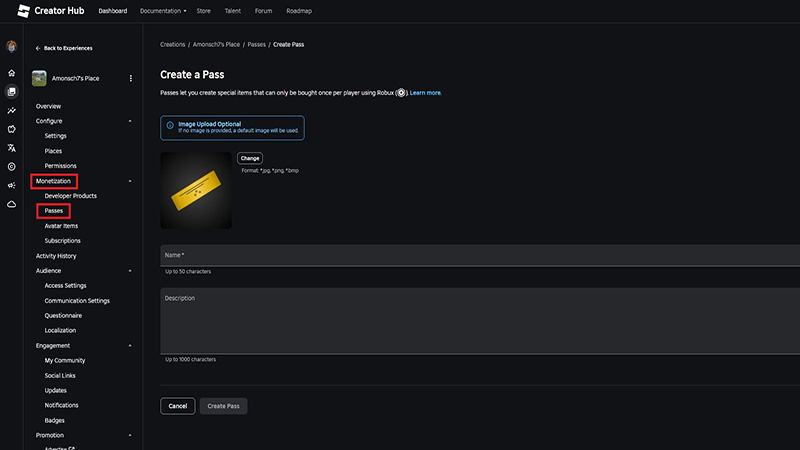
Image Credit: Roblox Creator Hub
Related: How to Make a Roblox Game | Your Start as a Roblox Developer
Pricing and Creating your Gamepass
Next, let’s make sure you get paid for your hard work:
- Set Your Price: Decide how many Robux players should pay for your gamepass. Think about the value it adds to the game – don’t sell yourself short, but remember, Roblox is for kids!
Now, to make sure your gamepass actually does something:
- Script It: You’ll need to script a bit to connect the gamepass with its features. If coding isn’t your jam, no worries—there are loads of tutorials or ready-made scripts out there that you can use and tweak.
- Test Everything: Always test your gamepass in Roblox Studio first. Make sure it’s all working perfectly and exactly how you imagined.
- Go Live: Happy with the test? Awesome! Go ahead and publish your gamepass. It’s now out in the world for players to buy and enjoy.
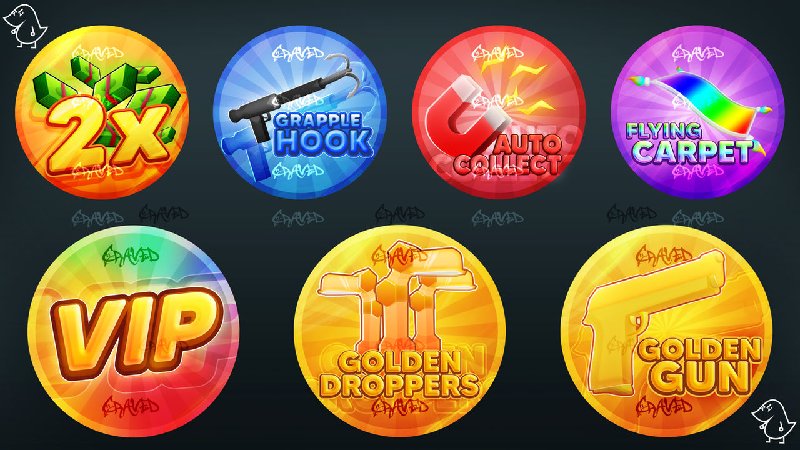
Image Credit: RBXCraved @ DeviantArt
Read Also:
Subscribe
0 Comments
Oldest