What Is ADR In CS2? Average Damage Per Round Explained

- ADR measures a player’s average damage output per round and is one of the most reliable indicators of consistent performance in CS2.
- ADR is calculated by dividing total damage by total rounds, with only real health damage counting (overkill and non-combat actions are ignored).
- Higher ADR comes from strong aim, good positioning, and efficient utility usage, with expected values varying by role and skill level.
Counter-Strike 2 (CS2) tracks a range of performance statistics across its game modes, but few carry as much weight as Average Damage per Round (ADR)—but what is it exactly? And, more importantly, why does this stat even matter?
Let’s pop a flash and peek at the ADR stat in CS2. We’ll explain precisely what it is, how it’s calculated, the quirks of damage tracking, plus some practical tips to boost your damage and evaluate your performance in-game.
- 1. What Is ADR In CS2?
- 2. How ADR Is Calculated In CS2
- What Damage Counts Toward ADR?
- What Does Not Count Toward ADR?
- 3. What Is Considered A “Good” ADR in CS2?
- ADR Expectations By Role
- 4. CS2 ADR vs. K-D vs. Rating — Which Stat Matters Most?
- Why Pros Value ADR So Highly
- 5. How To Improve Your ADR In CS2 – Basic Tips
- Utility Tips To Boost ADR Immediately
- 6. ADR Examples In Real CS2 Scenarios
- 7. How To Check Your ADR In CS2
- 8. FAQs
- 9. References
What Is ADR In CS2?
ADR is a measurement of in-game performance, typically linked to a player’s overall damage-dealing contribution in a match. The acronym stands for “Average Damage per Round,” and it’s viewed as a more accurate measurement of consistent performance than outright kills.
The stat is heavily used in pro player analysis, appearing prominently on FACEIT match pages and pro stat sites such as HLTV. You’ll also spot it at the in-game post-match summary page and on the CS2 scoreboard.
By nature, ADR only shows up in game modes that feature rounds (e.g., Casual, Competitive, and Premier). In Deathmatch, the default 10-minute timer means ADR never appears because the mode has no rounds. ADR can only be calculated when round-based data exists.
How ADR Is Calculated In CS2
If you don’t particularly like math, don’t worry—the CS2 ADR calculation is actually quite straightforward. The formula to calculate a player’s ADR per map is:
ADR = Damage Done / Total Rounds Played
For example, on Inferno in the Grand Final of the BLAST.tv Austin Major, William “mezii” Merriman dealt 2,086 Damage through smart utility usage and impeccable aim. 19 Rounds were played on Inferno before Team Vitality beat The MongolZ 13–6, and therefore, closed out the match 2–1.
In this case, mezzi’s ADR on Inferno was calculated as follows: 2,086 / 19 = 109.8.
To calculate a player’s ADR across a best-of series, use the following formula:
Match ADR = Total Damage Across All Maps / Total Rounds Across All Maps
What Damage Counts Toward ADR?
Many factors count towards Damage Done, and therefore, your ADR. The different CS2 ADR damage types are outlined below.
- Weapon damage
- Utility damage, from HE to Molotov grenades
- Damage done through smoke
- Damage done via a wallbang (shooting through walls)
- Hitting a player directly with a Flash or Smoke (before they pop)
What Does Not Count Toward ADR?
The biggest misconception about Damage Done and, consequently, what counts towards ADR in CS2, is related to overkill damage. Damage Done only applies to an enemy’s health bar and therefore does not calculate overkill damage.
A prime example is how a headshot from the “Big Green,” aka the AWP, on an unarmored target, deals 459 damage in CS2. However, if the enemy player had full health, your Damage Done for that round would only increase by 100. If the player had 50 health remaining, you’ll only get +50 Damage Done.
Other CS2 actions that could be impactful, but do not affect your ADR, are as follows:
- Planting or defusing the bomb
- Damage dealt to teammates
- Assists via Flash or Smoke Grenades
- Warm-up rounds and any damage dealt outside of official rounds
- Suppressive fires
- Bomb explosions
- A Molotov tick that didn’t deal damage as a Smoke grenade put it out before an enemy health bar was affected
What Is Considered A “Good” ADR in CS2?
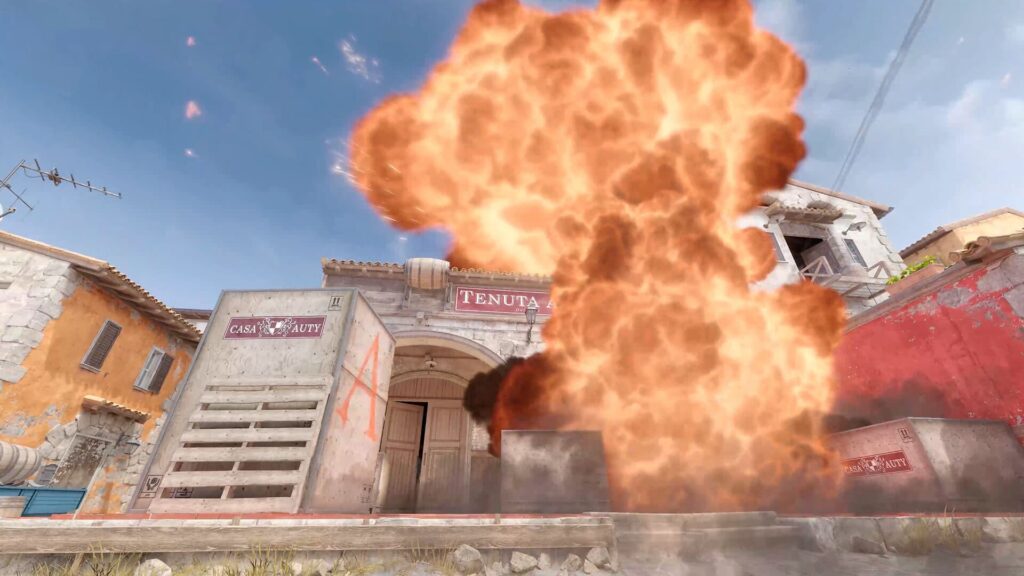
Another common misconception that a “good” ADR in CS2 is somewhere along the lines of 100. That’s incorrect—an ADR of 100 or more is exceptional, akin to performances from the best CS2 players in the world, such as Danil “donk” Kryshkovets or Mathieu “ZywOo” Herbaut.
On average in 2025, ZywOo performs at about 90 ADR as one of the best AWPers in the business, while donk pulls off roughly 96 ADR on average.
A good ADR in CS2, depending on your status or scenario, is outlined below.
- Casual and Competitive matchmaking: 50 to 65 ADR
- CS Premier mid-tier players: 70 to 75 ADR
- Ranked 10 FACEIT players: 80 to 90 ADR
- Star professional players: 90 to 100 ADR
ADR Expectations By Role
There are different ADR expectations by role in CS2. Some roles lend themselves to higher ADR, while in others, it’s more challenging to get to that 90 ADR mark.
Check out the typical CS2 roles and average ADR expectations below.
- AWPers: Average to high ADR expectations (70–80) but more kills.
- Star Riflers: Highest ADR expectation (90+) due to freedom of movement.
- Entry Fraggers: ADR of roughly 60–70. It’s a highly volatile position due to the risk of dying first.
- Anchors: Could result in an ADR of 80+ if bombsites hold your way, but the expectation is usually around 70.
- Support: ADR expectations for the support role are lower, at 50–60, depending on the utility’s damage.
CS2 ADR vs. K-D vs. Rating — Which Stat Matters Most?
ADR is a solid measurement of consistency, showcasing which players deal the most damage instead of just getting those final hits for kills. Therefore, ADR matters more than a Kill-Death (K-D) value.
CS2 ADR best reflects damage contributions round-to-round. However, it does not consider the impact of clutches, sneaky bomb plants/defuses, or other factors that can swing a round into your team’s favor.
Holistic player rating systems, such as HLTV’s Rating 3.0, consider ADR, KAST, 1vX scenarios, multi-kills, eco-round performance, and potential actions that could cause round swings.
The intricate HLTV Rating 3.0 system still stands head and shoulders above any single stat, including ADR.
Why Pros Value ADR So Highly
The value of ADR should not be underestimated. Pros value ADR because it shows which players contribute the most damage to the enemy—it’s basically an extremely powerful indicator of performance.
Coaches and IGLs can use ADR to evaluate a player who softens opponents with bullets and has the most efficient CS2 HE and Molotov utility.
You can also determine whether a player is well-suited to a specific role. For example, a very low ADR for an anchor who sees their bombsite constantly attacked could suggest trouble with positioning to stay alive and soften up opponents.
How To Improve Your ADR In CS2 – Basic Tips
Two primary factors can help you improve your ADR in CS2: staying alive for as long as possible and dealing more damage to opponents.
To improve your ADR, follow the basic yet helpful tips outlined below.
- Practice pre-aiming, placing your crosshair where an opponent’s head/upper body will likely be.
- Practice critical, high-action angles on all Active Duty maps to score favorable duels.
- Pick the best weapons to get the job done. For example, use the AWP if you have enough money, or the Scout to chip away with 70 damage a shot when you’re strapped for cash.
- Trade efficiently, swinging around a corner when or if your teammate gets killed to trade by taking down an enemy.
- Watch your remaining bullet count, and reload in safety. Don’t get caught out while reloading. If you die, you can’t do damage.
There’s one more way to ensure you boost your ADR quickly, and that’s by using utility efficiently!
Utility Tips To Boost ADR Immediately
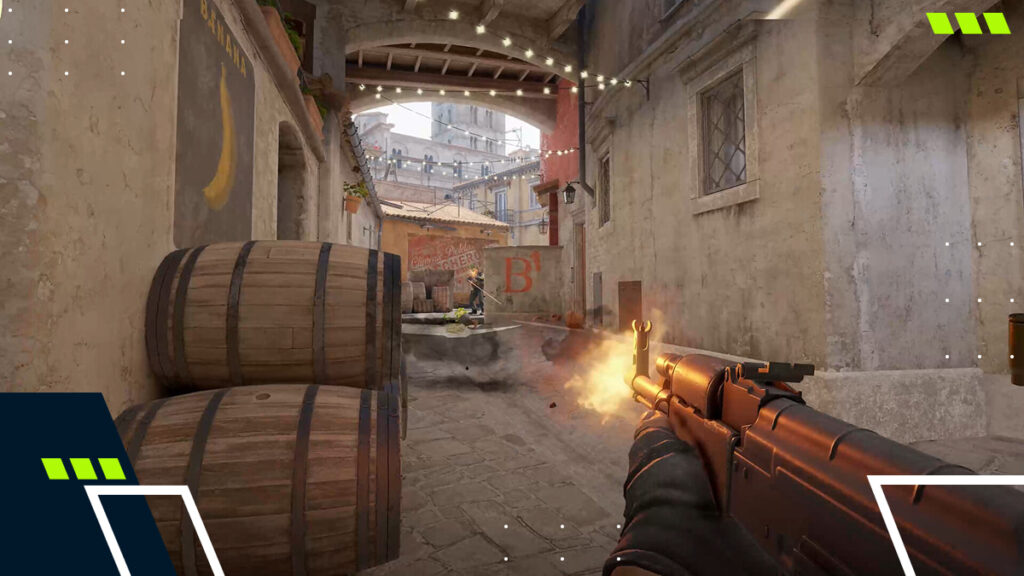
To quickly boost your ADR in a match, focus on using HE and Molotov grenades. Some practice areas include HE grenade lineups and common paths, such as Banana on Inferno.
For T-side planning, execute or CTs in retake scenarios. Time your Molotov usage to either force an enemy out of position or deal damage by blocking paths.
CS2 nade damage should not be overlooked as a solid source for higher ADR, so keep on practicing those throws.
While these tips should help you improve your ADR in Competitive and CS Premier matches, always consider what your team needs. A helpful player is far more valuable than someone who scores 100+ ADR while still giving up rounds.
ADR Examples In Real CS2 Scenarios
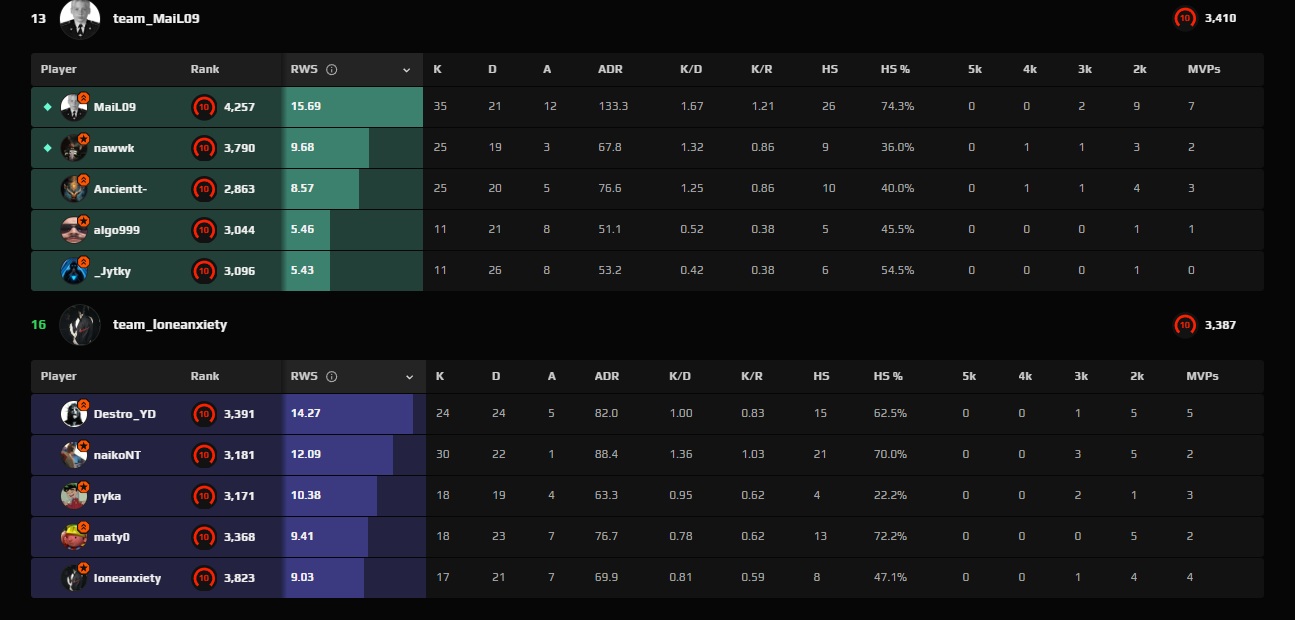
In a FACEIT match on Nuke, the highest rated player on the platform, 16-year-old wunderkind Liam “MaiL09” Tügel, scored a whopping 133.3 ADR, dealing 3865 damage and scoring 35 kills. The second-highest ADR in the match came from the opposition, with 88.4 from a player called naikoNT.
This CS2 ADR example showcases that while ADR is necessary, it’s not the be-all and end-all of CS2 stats. Earning a chart-shatteringly high ADR does not guarantee your team will come out on top.
Our second example focuses on the Grand Final of IEM Chengdu 2025, between Team Vitality and FURIA. Over the course of three maps, per HLTV’s stats page, the average ADR of Danil “molodoy” Golubenko was 75.4, while Mareks “YEKINDAR” Galinskis topped the scoreboard with an ADR of 94.6.
YEKINDAR pulled off some huge plays, dealing over 300 and 400 damage in some rounds. Now consider Kaike “KSCERATO” Cerato, who had far fewer kills but an ADR of 73.8, thanks to fantastic utility usage.
FURIA dominated Team Vitality with a 3–0 score to lift the IEM Chengdu 2025 trophy. Throughout the tournament, molodoy had an average ADR of 79.5 and was named MVP.
How To Check Your ADR In CS2
Despite what many of our competitors would have you believe, ADR isn’t displayed front and center on the CS2 scoreboard by default. To see your ADR in a match, follow the steps below.
- In a CS2 match, press the Tab key to open the scoreboard.
- To see the ADR of all players in the match, you must now cycle stats on the scoreboard.
- While the scoreboard is open, click the right-mouse (M2) button.
- With a cursor now active, click on the little graph icon at the top-right of the scoreboard to cycle stats.
- You’ll notice ADR as the second-to-last column, between KDR and Damage.
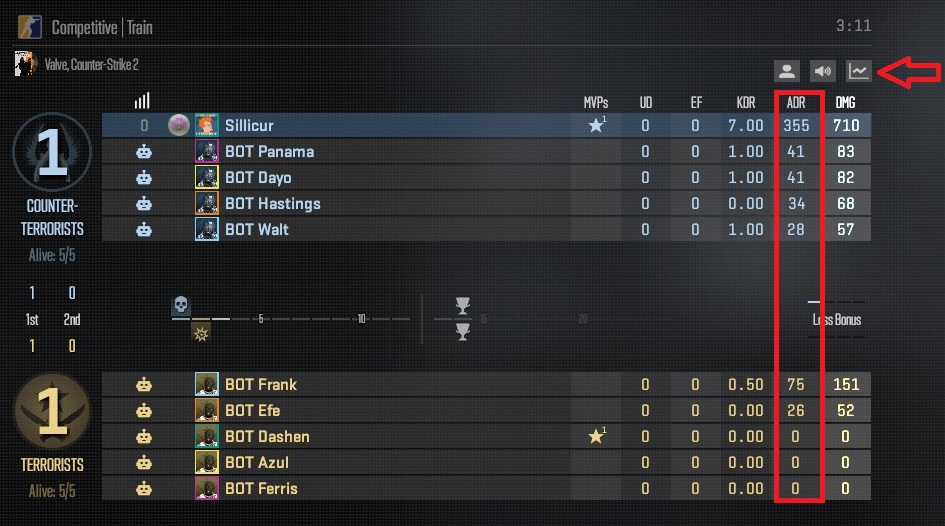
Note: These instructions are based on default hotkey configurations. If you’ve set different keybinds for secondary fire or the scoreboard, use those corresponding keys.
As for CS Premier matches, you’ll get a complete performance report with round-by-round stats at the end of each match. Avid CS2 players can also join the likes of FACEIT, Scope.gg, and Leetify, which are filled to the brim with stats to delve into after linking your Steam account.
FAQs
How Does ADR Work In CS2?
ADR in CS2 is calculated using this formula: Damage Done / Total Rounds Played.
What Is Considered A Good ADR Score In CS2?
A good ADR score in CS2 depends on the player’s role. Anything above 75, however, should be considered a good performance.
Why Is My ADR Low Even When I Get Kills?
The Damage Done used to calculate ADR does not include overkill damage. This means that if you get multiple kills on opponents that only have 10 or 20 health left, your ADR will be lower as a result, despite high kills.
How Do Pros Achieve High ADR In CS2?
Most pros achieve a high ADR in CS2 esports matches by combining excellent aim with map awareness, positioning, teamwork, and solid utility usage.
What Counts As Utility Damage For ADR In CS2?
Molotov and HE grenade damage count towards ADR in CS2.
References
- HLTV’s stats page (HTLTV)