Donk CS2 Settings 2026: Crosshair, Sens & Config

Danil “donk” Kryshkovets is widely regarded as one of the best players in Counter-Strike 2, with a sharp, confident rifling style that stands out. Given his quick rise to fame, it’s no surprise that many casual players want to copy his setup—from his CS2 settings and sensitivity to his crosshair and resolution.
In this guide, we’ll take you through the full donk CS2 settings breakdown, including his mouse setup (DPI, sensitivity, eDPI), crosshair settings, viewmodel, and video settings.
- 1. Donk Mouse Settings in CS2: Sensitivity (DPI and eDPI)
- Donk CS2 Mouse Settings
- 2. Donk Crosshair Settings in CS2
- Donk Crosshair Values
- 3. How to Import Donk’s Crosshair in CS2
- 4. Donk Video Settings 2026
- Donk CS2 Video Settings
- Donk CS2 Advanced Video Settings (Performance + Clarity)
- 5. Donk Viewmodel Settings
- 6. Why These Donk CS2 Settings Work
- Should You Use Donk CS2 Settings?
- 7. FAQs
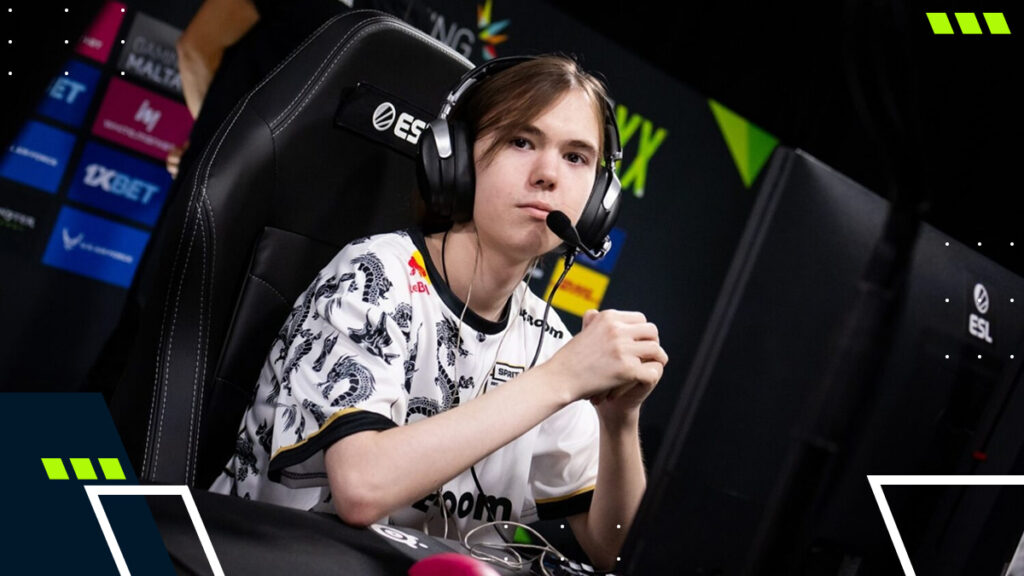
Donk Mouse Settings in CS2: Sensitivity (DPI and eDPI)
Donk’s sensitivity settings are straightforward: 800 DPI combined with 1.25 in-game sensitivity. This results in 1000 eDPI (800 × 1.25), which is suitable for rapid angle checks without frequent mouse lifts.
Zoom sensitivity remains at 1, polling rate is 1000 Hz to maintain consistency and Windows sensitivity is set to 4.
Donk CS2 Mouse Settings
| Setting | Value |
|---|---|
| DPI | 800 |
| Sensitivity | 1.25 |
| eDPI | 1000 |
| Zoom Sensitivity | 1 |
| Polling Rate | 1000 Hz |
| Windows Sensitivity | 4 |
If 1000 eDPI feels too high, a clean tweak is to lower sensitivity slightly (e.g., 1.15 = 920 eDPI). That keeps the spirit of donk CS2 settings while slowing the speed just enough.
Donk Crosshair Settings in CS2
The core of donk’s crosshair settings is tight and static. No movement expansion, no recoil following, and no dot—just a clean center for short bursts and clean spray transfers.
Donk Crosshair Values
| Feature | Value |
|---|---|
| Style | Classic Static |
| Follow Recoil | No |
| Dot | No |
| Length | 1 |
| Thickness | 1 |
| Gap | -4 |
| Outline | No |
| Color | Cyan (R0 / G255 / B170) |
| Alpha | 255 |
How to Import Donk’s Crosshair in CS2
The fastest way to copy donk crosshair settings is by importing the share code in-game:
- Open CS2 → Settings
- Go to Game → Crosshair
- Find Share or Import (or Import Crosshair)
- Paste the code and confirm
Donk crosshair code (import): CSGO-odYLp-isvFB-KOuxt-PsGZe-PU9vO
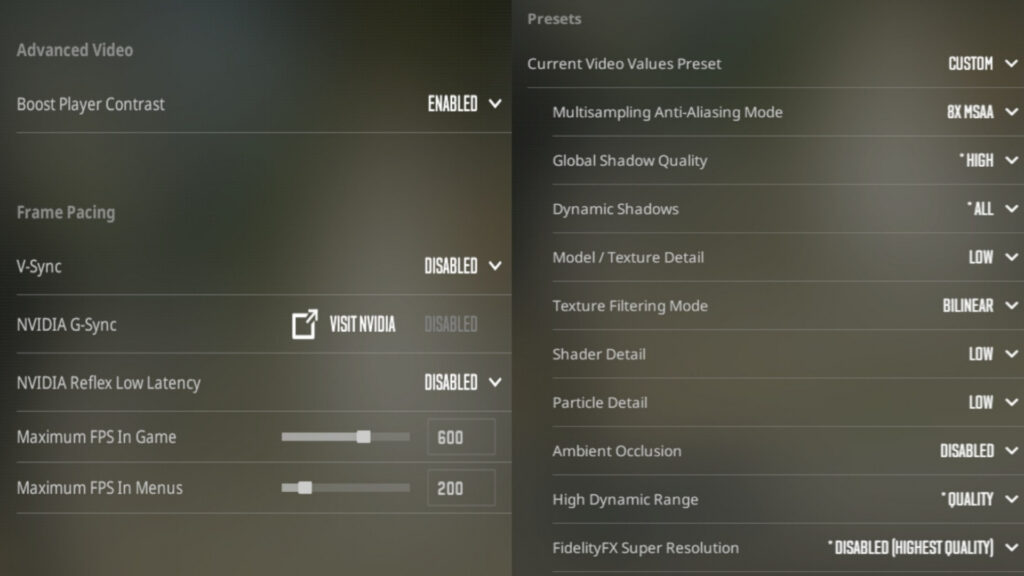
Donk Video Settings 2026
For donk video settings, the key choices are 1280×960, 4:3, stretched, and fullscreen. That stretched format makes player models appear wider on-screen, which can make fast duels feel a bit easier to read.
Donk CS2 Video Settings
| Setting | Value |
|---|---|
| Resolution | 1280×960 |
| Aspect Ratio | 4:3 |
| Scaling Mode | Stretched |
| Display Mode | Fullscreen |
| Brightness | 93% |
Donk CS2 Advanced Video Settings (Performance + Clarity)
| Setting | Value |
|---|---|
| Boost Player Contrast | Enabled |
| V-Sync | Disabled |
| Max FPS | 600 |
| MSAA | 8x |
| Global Shadow Quality | High |
| Dynamic Shadows | All |
| Model/Texture Detail | Low |
| Texture Filtering | Bilinear |
| Shader Detail | Low |
| Particle Detail | Low |
| Ambient Occlusion | Disabled |
| FSR | Disabled |
Donk Viewmodel Settings
Donk’s viewmodel is a clean competitive standard: enough space to see, without pushing the weapon model into awkward territory. Here are the exact viewmodel settings he uses in CS2:
- viewmodel_fov 68
- viewmodel_offset_x 2.5
- viewmodel_offset_y -1
- viewmodel_offset_z -1.5
- viewmodel_presetpos 1
If viewmodel changes feel distracting, leave them alone. It’s not a performance stat—just a visibility preference.
Why These Donk CS2 Settings Work
This donk CS2 setup keeps the game feeling snappy without getting messy. At 1000 eDPI, it’s easier to clear two or three angles quickly and still reset for the next duel, which fits donk’s pace—often without lifting the mouse as much. The 1280×960 stretched look makes models wider, so targets pop more in scrappy fights overall.
High shadows plus Boost Player Contrast help key info show up sooner, like a shoulder or a shadow edge. And the tight static crosshair keeps the center calm while bursting or spraying, so you’re tracking shots—not fighting visual noise under pressure.
Should You Use Donk CS2 Settings?
Donk’s CS2 settings are worth trying if fast duels and quick multi-angle clears are your goal, since 1000 eDPI and 4:3 stretched can feel very responsive. But if aim feels shaky, it’s smarter to keep the same setup and lower sens slightly, rather than copying everything and forcing it.
FAQs
What resolution does donk play CS2 on?
Donk’s CS2 resolution is 1280×960, 4:3, stretched, fullscreen.
How to configure crosshair like donk CS2?
Use a tight static crosshair: Classic Static, length 1, thickness 1, gap -4, dot off, alpha 255, cyan-style color. Importing is fastest.
How good is donk in CS2?
Donk is widely regarded as an elite CS2 rifler because of his pace, mechanics, and impact in high-level matches.
Should I play CS2 on low settings?
If stable FPS and clarity matter, low settings are usually the way to go. CS2 pros often keep textures/shaders low, then keep a few visibility helpers (like high shadows and contrast options) enabled.
Is 4:3 best for CS2?
4:3 isn’t “best” for everyone in CS2—it’s a preference. It can make models feel wider (stretched), while 16:9 looks more natural.