Fortnite Low vs. Performance Mode: Which Option Is Best In 2026?

- Performance Mode maximizes FPS and minimizes input delay, making it ideal for competitive play.
- Low Settings keep Fortnite’s visual style intact while still boosting performance.
- Performance Mode can improve stability even on high-end PCs during intense fights.
The best rendering mode in Fortnite has remained a hot topic in the community. Players have been taking sides in the Low vs. Performance Mode debate, each swearing by the mode they believe offers the perfect balance of raw FPS, low input latency, and visibility in fights.
So, to answer this burning question, we’ll give you a detailed comparison of Low vs. Performance in Fortnite, followed by our verdict on which one you should use.
What Are Low Settings & Performance Mode In Fortnite?
Low Settings
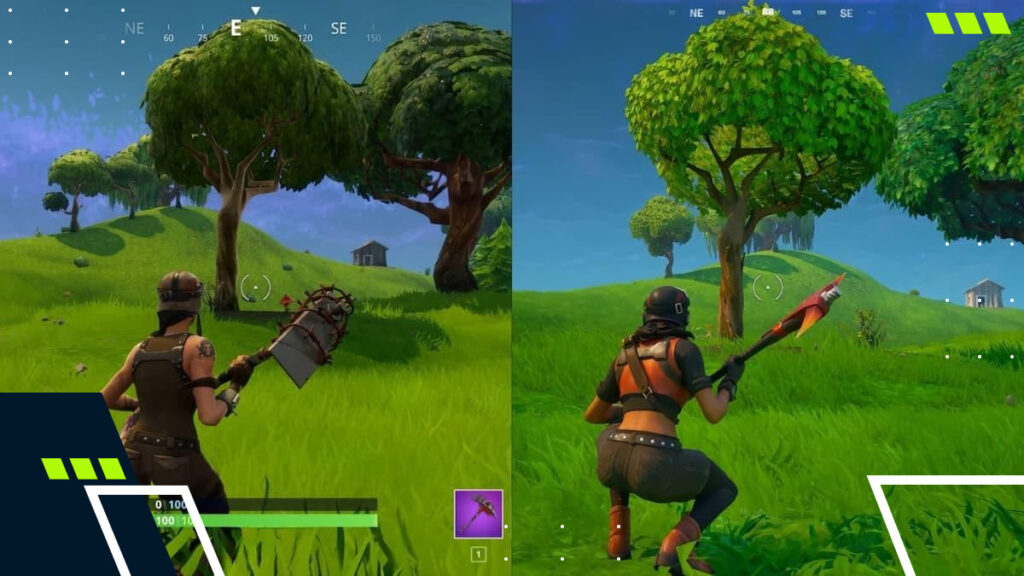
Fortnite Low Settings reflect the lowest visual settings available in the standard rendering modes (DirectX 11 or DirectX 12).
When you drop down to Low Settings, you will immediately notice that textures lose detail, shadows are turned off or greatly reduced, and post-processing effects like bloom and motion blur are disabled.
That said, the game still runs through traditional rendering pipelines. So, while the quality is lower, it still maintains the full engine load, with higher CPU and GPU requirements than Fortnite Performance Mode.
Performance Mode
Performance Mode in Fortnite is an alternative rendering option introduced by Epic Games to optimize frame rates and lower hardware usage.
When turned on, it changes how Fortnite is rendered at its base level. It completely eliminates many graphical features, low-poly meshes, and low-quality assets to ensure smooth gameplay.
Enabling Fortnite Performance Mode settings is ideal for players with lower to mid-range PCs or laptops. It provides noticeable frame rate boosts on high-end machines during intense build fights or endgame areas where performance usually drops off.
What Is The Difference Between Low And Performance Mode In Fortnite?
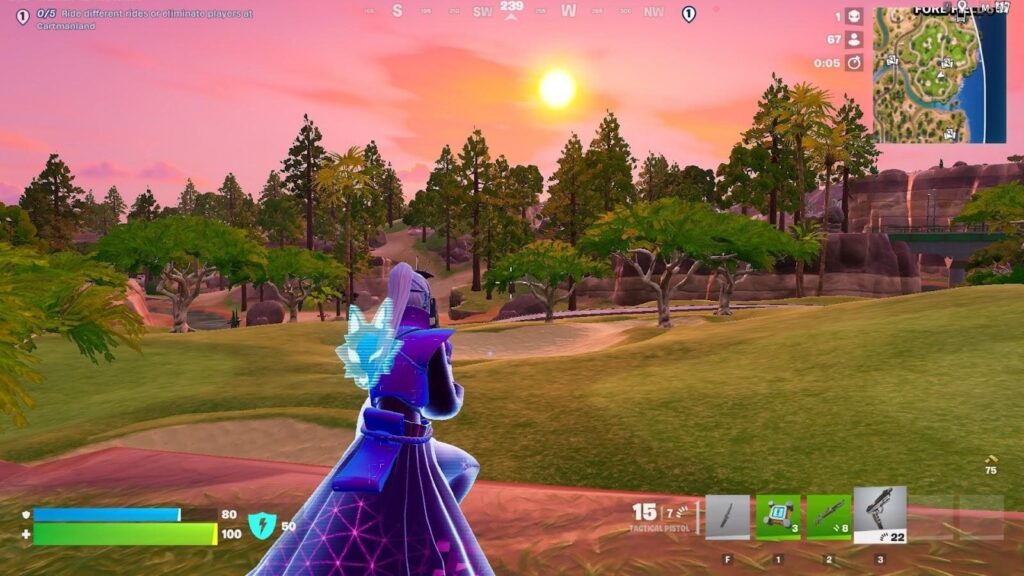
Low and Performance Mode in Fortnite serve very different purposes. While Low Settings aim to balance smoother gameplay with Fortnite’s original visual style, Performance Mode strips back graphics to maximize FPS and responsiveness.
The table below breaks down how each mode compares across visuals, performance, and competitive play:
| Aspect | Fortnite Low Settings | Fortnite Performance Mode |
|---|---|---|
| Visual quality | Retain more visual fidelity, so the game looks slightly more detailed and stays much closer to its original art style. | Heavily cuts down graphics, resulting in a more cartoonish or “washed out” look with a minimalist visual presentation. |
| Performance & FPS | Offer reasonable frame rates while still maintaining traditional rendering and visual effects. | Provides a strong FPS boost by reducing the rendering of various visual elements and lowering CPU load. |
| Input delay & responsiveness | Improves performance, but does not achieve the same level of responsiveness as Performance Mode. | Provides a perfect mix of low input delay and high FPS, offering more responsive action even in the most intense situations. |
| Competitive advantage | Acts as a middle ground for players who want better performance without fully sacrificing visuals. | Ideal for competitive Fortnite, where milliseconds can decide fights; even high-end PCs benefit from reduced stutter in endgame rotations. |
| Player preference | Suits content creators or casual players who want better performance without overhauling visuals. | May feel jarring for players used to bright colors, particle effects, and high-resolution textures, despite its performance benefits. |
How To Turn On Performance Mode In Fortnite
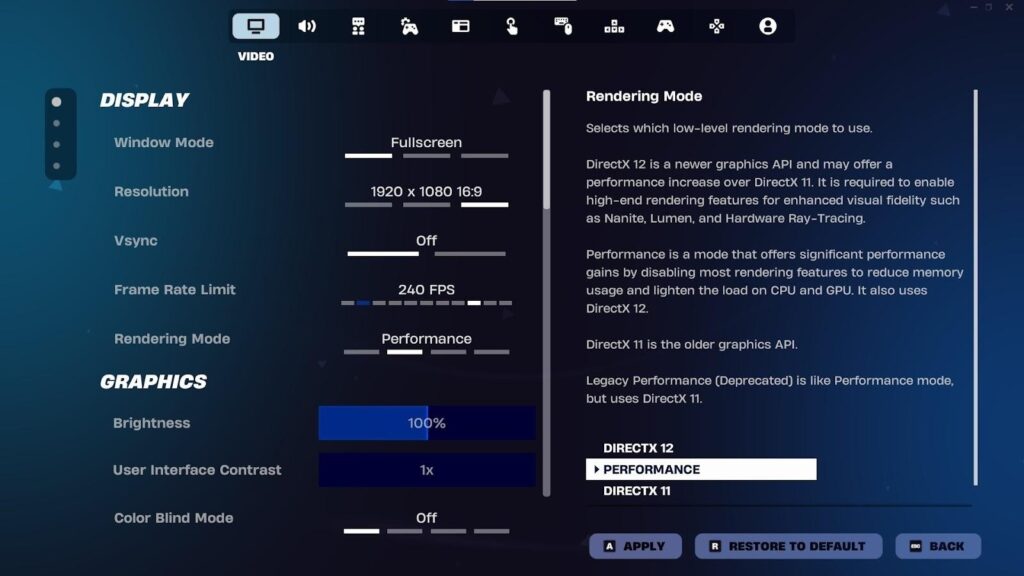
If you want to try your hand at using Performance Mode in Fortnite, you must enable it through the in-game settings. Here’s how:
- Go to the Fortnite main lobby screen.
- Click on your player icon in the top-right corner of your screen.
- Select the gear icon to open the Settings menu.
- Go to the Video tab.
- Under the Display section, set the Rendering Mode to Performance.
- Restart the game to finalize the Fortnite Performance Mode settings.
Low vs. Performance Mode In Fortnite — Which Is Best?
The best rendering mode in Fortnite depends on what you value.
If your objective is raw performance with the shortest input delay and the most frames possible, Performance Mode is the way to go. It is built for competitive play and is optimized for high-speed action.
However, if you want to preserve the game’s visual quality while also improving performance, using Fortnite Low Settings is a solid middle ground.
FAQs
Is it better to play Fortnite in Performance Mode?
It depends. If you want to prioritize performance with the shortest input delay and achieve as many frames as possible, Performance Mode is the way to go.
What FPS do pros use in Fortnite?
Fortnite pros aim for the highest possible FPS, matching their monitor’s refresh rate to reduce input lag. The FPS used by Fortnite pros is usually 240 FPS or more.
Does Fortnite run good on PC?
Yes. Fortnite typically runs well on PC, even with older hardware.
Is it possible to get Performance Mode on console in Fortnite?
No. Fortnite on console doesn’t have a Performance Mode, but you can enable 120 FPS on Xbox Series X|S and PlayStation 5.