Best Overwatch 2 Custom Game Codes (2026)

Having the best Overwatch 2 Workshop codes can help you improve your aim and build a consistent warm-up routine, skipping the headache of rebuilding lobbies from scratch and allowing you to jump right into meaningful practice. But where do you start?
This guide details all the essentials, including what Overwatch 2 custom game codes are, how to import them, and top picks for aim training and mini-games that still work after updates.
- 1. What Are Overwatch 2 Custom Game Codes?
- 2. Best Overwatch 2 Custom Game Codes for Aim Training (2026)
- Simple 15-minute Warm-up Plan For Overwatch 2
- 3. Best Overwatch 2 Custom Game Codes for Mini-Games
- 4. How To Find Overwatch 2 Workshop Codes That Still Work
- 5. How To Import Overwatch Workshop Codes (PC, PlayStation, Xbox, Switch)
- 6. Overwatch 2 Custom Game Code Not Working: How To Fix
- 7. FAQs
- 8. References
What Are Overwatch 2 Custom Game Codes?
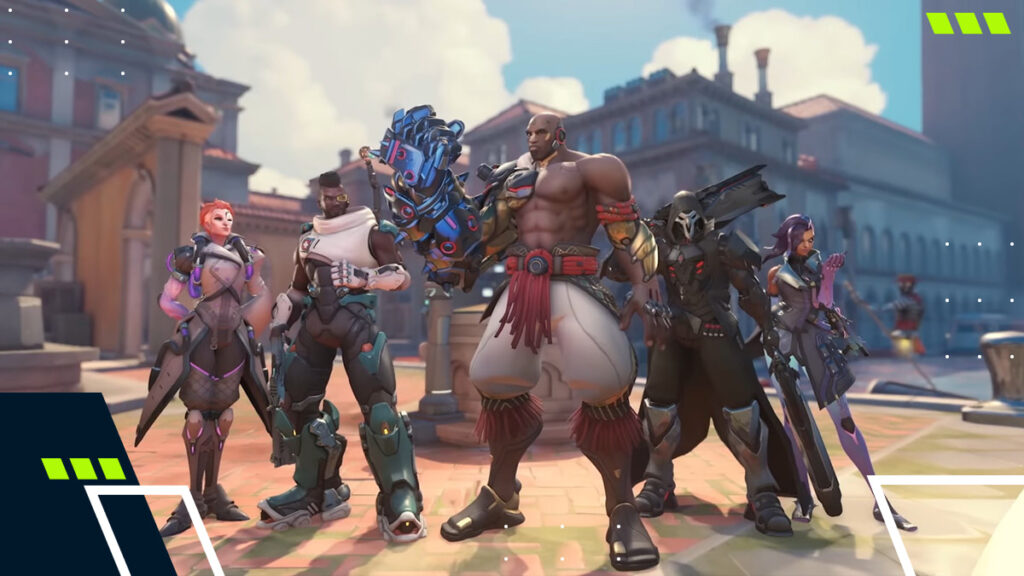
Overwatch 2 custom game codes (also known as “Overwatch Workshop codes”) are short text strings used to import a custom lobby setup.
A single code can instantly load rules, hero settings, and Workshop scripting into a lobby without rebuilding the mode from scratch. Many players share these codes so others can host the same mode without the hassle of setting it up manually.
At its core, Overwatch 2 custom codes are basically presets that you can tweak as needed for different heroes, bots, or pacing.
Best Overwatch 2 Custom Game Codes for Aim Training (2026)
Here is a list of popular aim-focused Overwatch Workshop codes for consistent warm-ups:
| Code | Mode | Best for | Players |
|---|---|---|---|
| VAXTA | Aim training & warm-up | All-purpose warm-up + score challenge | Solo/Group |
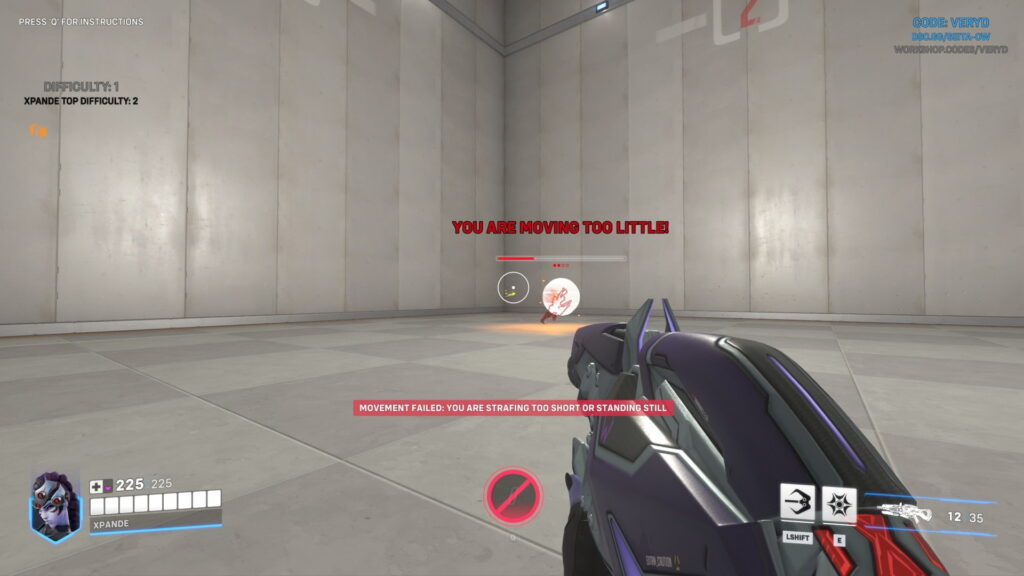
| VERYD | Aim training: Tracking | Smooth tracking reps | Solo |
| NADDS | Aim training: Flicking | Flick timing + target swaps | Solo |
| GGSYK | Aim training (OW2 version) | General mechanics drills | Solo |
| VXEAT | Customizable Aim Trainer | Deep customization + structured drills | Solo/Group |
| TR2E7 | Aim strafing trainer | Strafe aim + micro-tracking | Solo |
| WA18P | Whack-a-Mole (aim) | Reaction shots + target popping | Solo/Group |
| JPYHG | ioStux DPO Aim Trainer | Structured aim practice focus | Solo |
Simple 15-minute Warm-up Plan For Overwatch 2
If you enjoy warming up before a competitive match in Overwatch 2, try this simple routine:
- 5 min: Tracking (VERYD)
- 5 min: Flicks (NADDS)
- 5 min: Mixed reps (VAXTA or VXEAT)
Best Overwatch 2 Custom Game Codes for Mini-Games
Not every lobby has to be sweaty. Overwatch 2 custom game modes also cover fun chaos modes, party games, and “break” lobbies between queues.
If the lobby has mixed skill levels, randomizer and party modes help. And no, you won’t get stuck on one hero or one role; the rounds stay light.
| Code | Mode | Why it’s fun |
|---|---|---|
| BTMMC | Risk of Overwatch | Roguelike-style custom mode |
| W7XAX | UNO in Overwatch | Party game rules in OW |
| J853B | Flappy Mercy | Silly, quick, replayable |
| F2YS6 | Ashe Roulette | Luck-based party rounds |
| 1DMTZ | Ana Paintball | Classic arcade-style duel mode |
How To Find Overwatch 2 Workshop Codes That Still Work
If you’re looking for active Overwatch 2 custom maps, Workshop.codes remains the fastest place to start.
The “On Fire” section lists the most popular and recently updated creations. At the same time, its search filters make it easy to narrow things down to aim trainers, minigames, or hero-specific practice modes that still function in the current patch.
How To Import Overwatch Workshop Codes (PC, PlayStation, Xbox, Switch)
Overwatch 2 offers a bunch of settings, presets, and modes on its custom maps, which can make it a bit challenging to find the right path to your custom mode. Luckily, the method for importing Overwatch Workshop codes is similar on all platforms:
- Play → Custom Games
- Create (start a lobby)
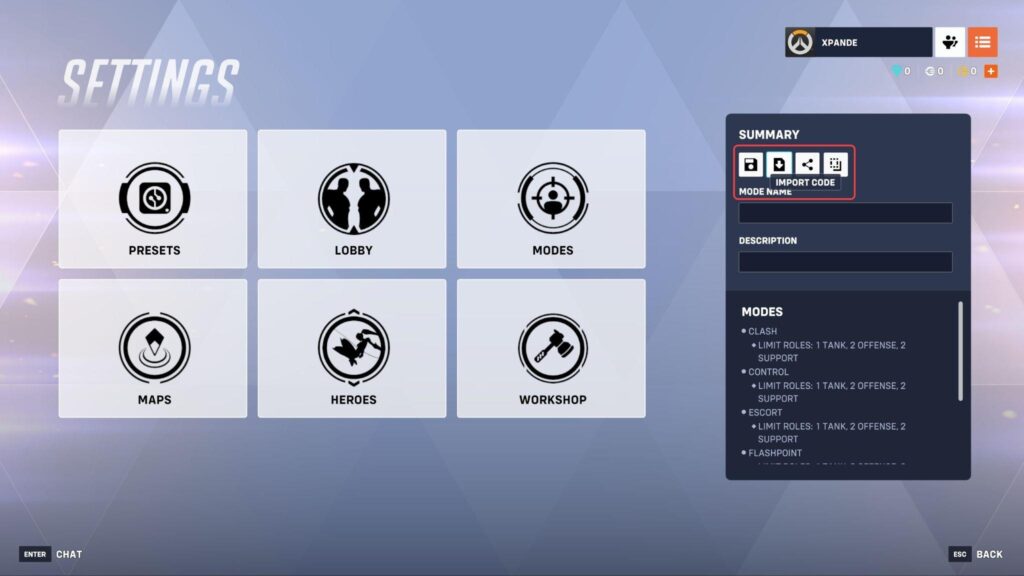
- Open Settings
- Select Import Code
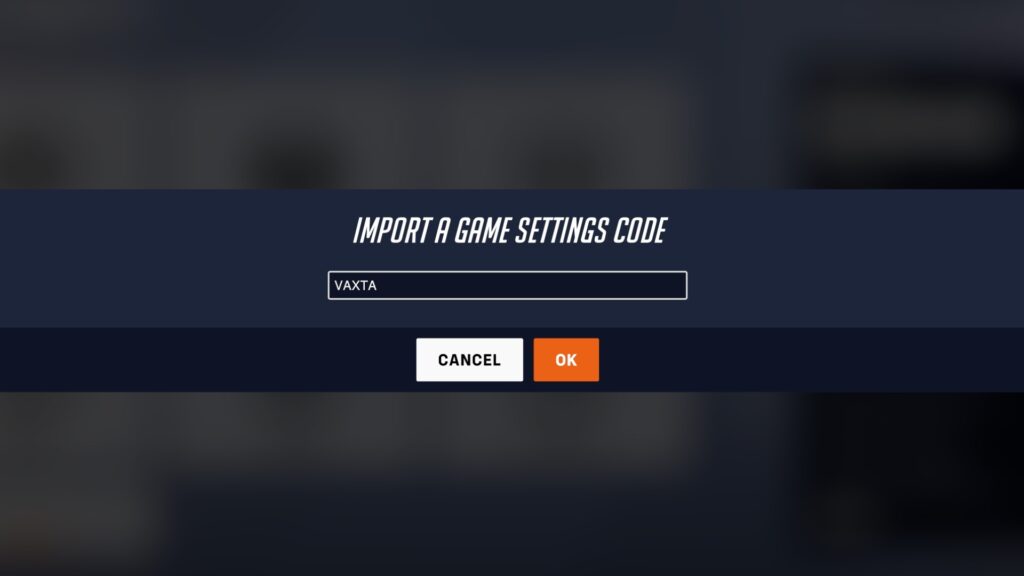
- Paste the code → OK → Start
Pro Tip: After importing your Overwatch Workshop code, wait for the lobby to fully load the settings before changing options. This will save you some headaches. We also recommend waiting a moment on slower platforms or connections.
Overwatch 2 Custom Game Code Not Working: How To Fix
When an Overwatch 2 custom game code fails, it’s usually one of a few repeat issues. The good news is that most fixes are quite simple, and they work across PC and console.
Here are some quick troubleshooting tips to help you fix Overwatch 2 custom codes not working properly.
- Re-check typos (letters and numbers can look similar)
- Import from Settings inside a created lobby, not from the wrong menu
- Wait for the mode to fully load after importing before editing settings
- Restart the game and re-import the code
- Check if the code has expired and try to find a newer, working version
FAQs
Do Overwatch 2 codes work on console?
Yes. You can import the same Overwatch 2 custom game codes across all supported platforms.
What’s the difference between custom games and Workshop codes?
Custom games are the lobby framework. However, an Overwatch Workshop code imports a prebuilt ruleset (often with custom scripting) into that lobby, instantly setting up modes, mechanics, or training scenarios.
What are the best Overwatch 2 custom game modes for aim practice?
The best Overwatch 2 custom game modes for practicing aim are VAXTA for all-around play, VERYD for tracking, and NADDS for flicking.
Why do Overwatch 2 game codes stop working after updates?
Many Overwatch 2 game modes rely on settings that change between patches. If a creator hasn’t updated the mode, the code may still import, but the gameplay can break.
References
- Overwatch Workshop Codes Resource (Workshop.codes)