PUBG Mobile 120 FPS Supported Devices List (2026): How To Enable Ultra Extreme Mode

- PUBG Mobile’s 120 FPS (Ultra Extreme) mode is only available on select devices, even if your phone has a 120 Hz display.
- Flagship chipsets, strong cooling, and Smooth graphics settings are key to running PUBG Mobile stably at 120 FPS in 2026.
- The supported device list continues to expand, with recent updates increasing 90/120 FPS compatibility across more phones.
Playing at 120 FPS in PUBG Mobile can feel like an entirely different game. For starters, tracking is smoother, flicks feel easier to execute, and close-range fights get less chaotic and more consistent. For many players, it’s the biggest “feel” upgrade outside sensitivity tweaks.
However, the catch is that a 120 Hz display alone doesn’t guarantee 120 FPS in-game. PUBG Mobile enables 90/120 FPS only on certain devices and builds, so the option may not appear everywhere.
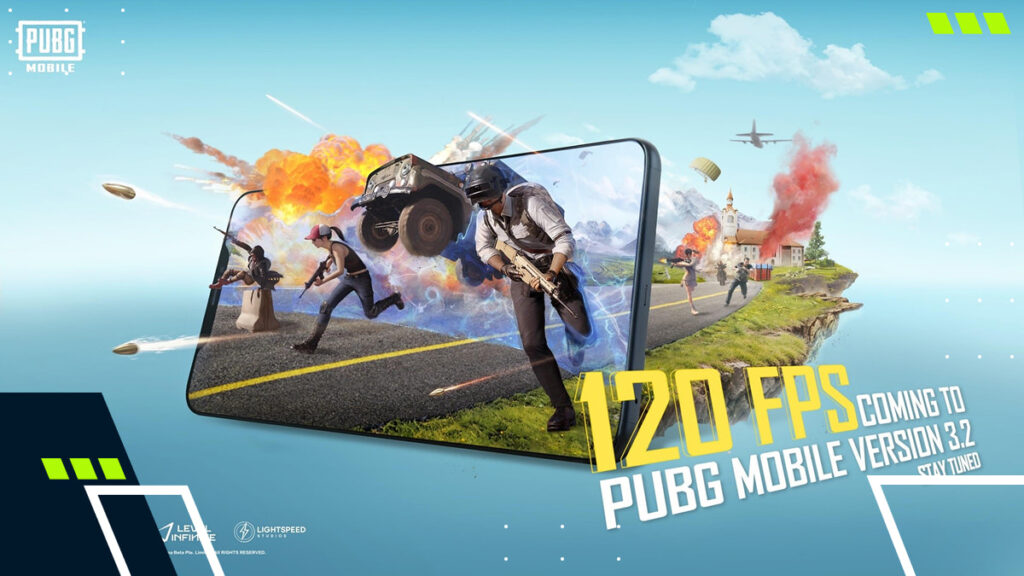
What Does 120 FPS Mean In PUBG Mobile?
120 FPS (frames per second) means PUBG Mobile can render up to 120 individual frames every second, which can make aiming, tracking, and camera movement feel significantly smoother than at 60 or 90 FPS.
PUBG Mobile has historically provided high frame rate options as device-specific settings that can be enabled via the Graphics menu.
PUBG Mobile 120 FPS Supported Devices List (2026)
Here is a complete PUBG Mobile 120 FPS supported devices list, organized by their respective manufacturers:
| Manufacturer | Device Model |
|---|---|
| Apple | iPhone 17 Pro Max iPhone 17 Pro iPhone 16 Pro iPhone 16 Pro Max iPhone 15 Pro iPhone 15 Pro Max iPhone 14 Pro iPhone 14 Pro Max iPhone 13 Pro iPhone 13 Pro Max iPad Pro (from 2020 onwards) |
| Samsung | Galaxy S25 Galaxy S25+ Galaxy S25 Ultra Galaxy S24 Galaxy S24+ Galaxy S24 Ultra Galaxy S23 Galaxy S23+ Galaxy S23 Ultra Galaxy Z Fold 7 Galaxy Z Fold 6 Galaxy Z Fold 5 |
| Pixel 10 Pro XL Pixel 10 Pro Pixel 10 Pixel 9 Pro XL Pixel 9 Pro Pixel 8 Pro |
|
| OnePlus | OnePlus 15 OnePlus 14 OnePlus 13 OnePlus 12 OnePlus 11 |
| Xiaomi | Xiaomi 15T Ultra Xiaomi 15T Pro Xiaomi 15T Xiaomi 15 Xiaomi 14 Pro Xiaomi Mix Fold 3 Xiaomi 13 |
| vivo | vivo X200 Pro+ vivo X100 Pro+ vivo X Fold 5 vivo X Fold 4 vivo X Fold 3 vivo X Fold 2 |
| nubia | nubia Z70 Ultra nubia Z60 Ultra nubia Z50 |
| RedMagic | RedMagic 10 Pro RedMagic 10S Pro RedMagic 9 RedMagic 9 Pro |
| ASUS | ROG Phone 9 Pro ROG Phone 9 ROG Phone 8 Ultimate ROG Phone 8 Pro ROG Phone 7 Ultimate |
| iQOO | iQOO 15 iQOO 13 iQOO 12 Pro iQOO 11 iQOO 10 Pro |
How To Check If A Device Supports 120 FPS In PUBG Mobile
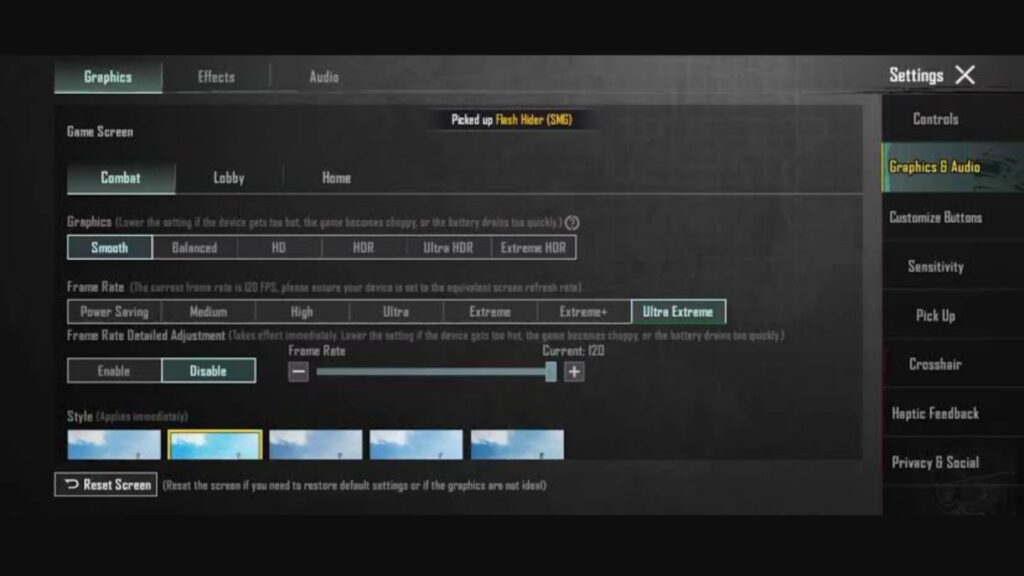
The easiest way to check if your device supports 120 FPS in PUBG Mobile is through the Graphics menu. Follow these steps:
- Ensure you update PUBG Mobile to the latest version.
- Open Settings and go to the Graphics menu.
- Set the Frame Rate slider to the max available frame rate on your device.
Note: If 120 FPS (Ultra Extreme) does not appear in the Frame Rate settings, PUBG Mobile does not currently support that frame rate on your device.
PUBG Mobile 120 FPS Requirements In 2026
There isn’t an official spec sheet that guarantees you 120 FPS in PUBG Mobile. In practice, though, most supported device models share the same traits: flagship chipsets, strong cooling, and a 120 Hz display panel.
While there are a few exceptions, here is a practical baseline for which specifications your device needs to get 120 FPS in PUBG Mobile:
- Display: 120 Hz+
- Chipset: Modern flagship tier
- Android: Snapdragon 8 Gen 2/3, Dimensity 9200, Dimensity 9300
- Apple: A16 Bionic, A17 Pro
- RAM: 8GB or more
- Thermals: Good cooling and a dedicated Performance Mode
Best Settings For Stable 120 FPS In PUBG Mobile
Most players chase 120 FPS in PUBG Mobile and often forget the real goal: stable frame pacing. In order to reach frame stability, you can use the following presets:
- Graphics: Smooth
- Frame Rate: Ultra Extreme
- Visual Effects: Modest (shadows and filters can cost stability)
What Changed In 2026?
PUBG Mobile’s v4.0 Tech Improvements explicitly noted that more devices support high frame rates, including 90 and 120 FPS. The v4.1 update repeated the pattern, expanding compatibility to 90/120 FPS, reinforcing that the supported pool grows over time rather than remaining fixed.
Finally, PUBG Mobile v4.2 (released in January 2026) provided even more details regarding high frame rate compatibility, stating that Smooth Graphics (90/120 FPS), HD/HDR Graphics (90 FPS), and Ultra HDR Graphics (60 FPS) are now available on select devices.
FAQs
How do I check if my device supports PUBG Mobile at 120 FPS?
To check if your device supports 120 FPS in PUBG Mobile, go to Settings → Graphics. If Ultra Extreme appears in the Frame Rate options, your device supports 120 FPS.
Is Ultra Extreme the same as 120 FPS in PUBG Mobile?
Yes. PUBG Mobile’s Ultra Extreme frame rate option refers to the 120 FPS mode.
Does enabling high frame rate in PUBG Mobile affect the battery?
Yes. PUBG Mobile officially stated that enabling a high frame rate option can improve visuals at the cost of battery life.
Is 120 FPS available on HD/HDR in 2026?
Yes. The PUBG v4.2 Update Announcement highlights 90 FPS support under HD/HDR for select devices, while 90/120 FPS is specified under Smooth mode on compatible devices.