PUBG Mobile v4.3 Beta Update: How To Join

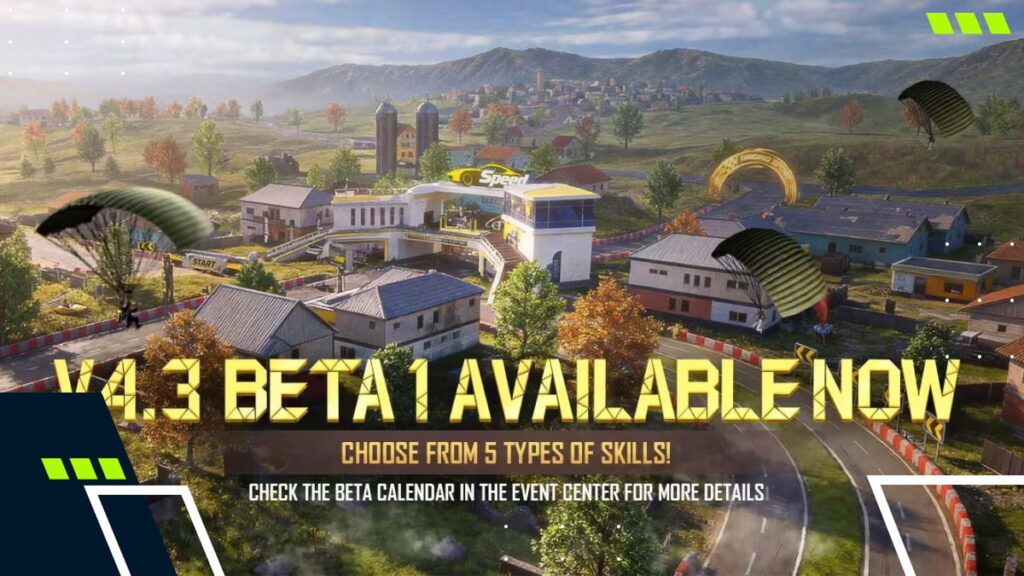
The PUBG Mobile v4.3 beta update is now live, offering early access to new content and features via a test version. Key additions include a new themed mode and a passive skill system designed to enhance strategic decision-making during matches.
This guide covers everything you need to know about the PUBG Mobile v4.3 beta update, including how to join the server, how the different testing phases work, and the main differences from the live version of the game.
- 1. What Is The PUBG Mobile Beta Version?
- 2. PUBG Mobile v4.3 Beta Update Features Explained
- 3. How To Download The PUBG Mobile Beta v4.3 Update
- PUBG Mobile v4.3 Beta Download Links
- 4. PUBG Mobile v4.3 Beta System Requirements
- 5. PUBG Mobile Beta vs. Official Version — Key Differences
- 6. PUBG Mobile Beta Update Release Schedule
- 7. FAQs
- 8. References
What Is The PUBG Mobile Beta Version?
The PUBG Mobile beta is a separate test server that lets you access upcoming game content before its official release.
This environment is typically used by game developers to help them identify issues with new modes and gameplay mechanics and to apply balance adjustments before features reach the live servers.
However, access to the beta server may vary depending on the active testing phase and the content under development. The PUBG Mobile v4.3 beta update is part of this pre-release process and represents the version currently being evaluated ahead of its final rollout.
PUBG Mobile v4.3 Beta Update Features Explained
The PUBG Mobile v4.3 beta update introduces a new themed mode centered on a role-based system, allowing you to adopt deeper strategies to your team’s needs in each match.
The new passive skills system includes five different specializations:
- Healing
- Recon
- Combat
- Detection
- Vehicles
In the PUBG Mobile beta v4.3 update, you can select your preferred role before a match begins or on the Spawn Island, and further upgrade your abilities by meeting specific conditions during gameplay.
Here’s a closer look at what you can expect:
Weapon Balancing and Meta Changes
- Closer horizontal spread at medium range for assault rifles
- Increased accuracy on the first shot, slower recovery
- Damage reduced for dominant weapons from 120 DMG onwards
- Expanded accessory compatibility for new equipment combinations
UI/UX Improvements
- Optimized minimap
- Inventory management with predictive sorting
- Directional damage indicators with color gradations based on distance (red for short range, orange for long range)
Backend Performance Enhancements
- Input lag reduced by 15–20 ms
- Memory management prioritizes textures based on movement
- Optimized packet compression
Audio Improvements
- Footsteps with variations based on material
- Vertical audio recalibrated for multiple floors
- Long-range gunfire includes atmospheric attenuation
Note: All content available in the PUBG Mobile v4.3 beta update is still under development and may change before it arrives in the official release.
How To Download The PUBG Mobile Beta v4.3 Update
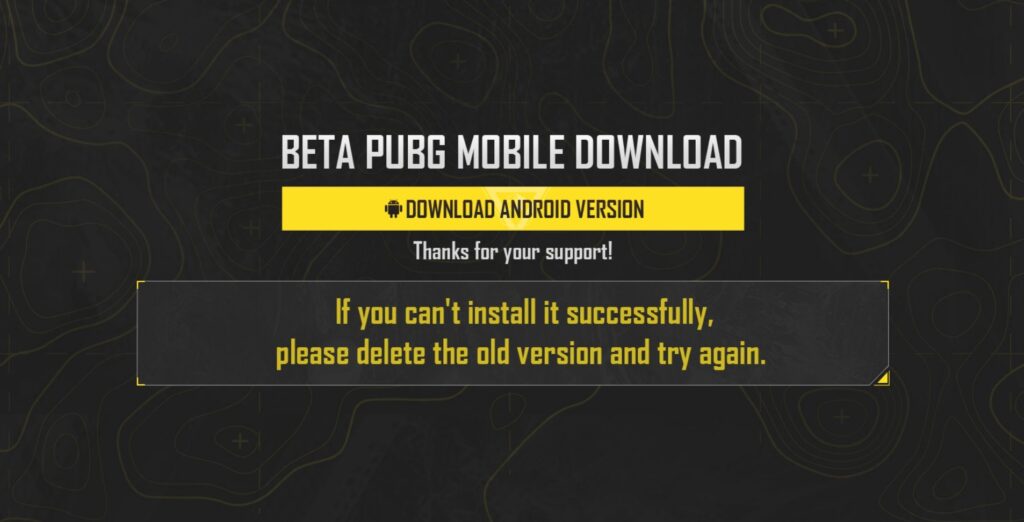
Since this is a separate test server, the PUBG Mobile v4.3 beta cannot be downloaded directly from the Google Play Store. It instead requires a manual installation via an APK.
To join the testing program, you must access the official PUBG Mobile beta Discord server.
Download links are released during each active beta phase and may change between test rounds. For this reason, you should always use the file corresponding to the current beta version.
Each test phase uses a standalone beta client that cannot be updated using files from previous beta versions. These download files are distributed through the PUBG Mobile beta Discord server and the in-game Test Server invitation system.
PUBG Mobile v4.3 Beta Download Links
- Android 32-bit
- Android 64-bit
- TestFlight access (iOS): With a TestFlight invitation, you can directly update or install the beta via the TestFlight app. Limited slots depending on the beta round.
Note: Access may be restricted if the player limit for a specific platform has already been reached.
PUBG Mobile v4.3 Beta System Requirements
To ensure PUBG Mobile v4.3 beta runs properly on your device, it’s important that it meets the minimum requirements. That way, you can avoid installation errors or performance issues during gameplay.
Android
- Operating System: Android 5.0 (Lollipop) or higher
- RAM: Minimum 2 GB (some devices with 2 GB may experience performance issues)
- Processor: ARM-based device (32-bit or 64-bit, depending on the beta version)
- Storage: 7 GB of free internal storage is required during installation
iOS
- Model: iPhone 5S or later
- Operating System: iOS version compatible with TestFlight
- RAM: Minimum 1 GB
- Storage: Additional temporary storage may be required during installation
Note: Storage requirements may vary depending on the beta phase and additional in-game resources. Meeting the minimum requirements does not guarantee smooth performance, as the PUBG Mobile v4.3 beta is still under active testing.
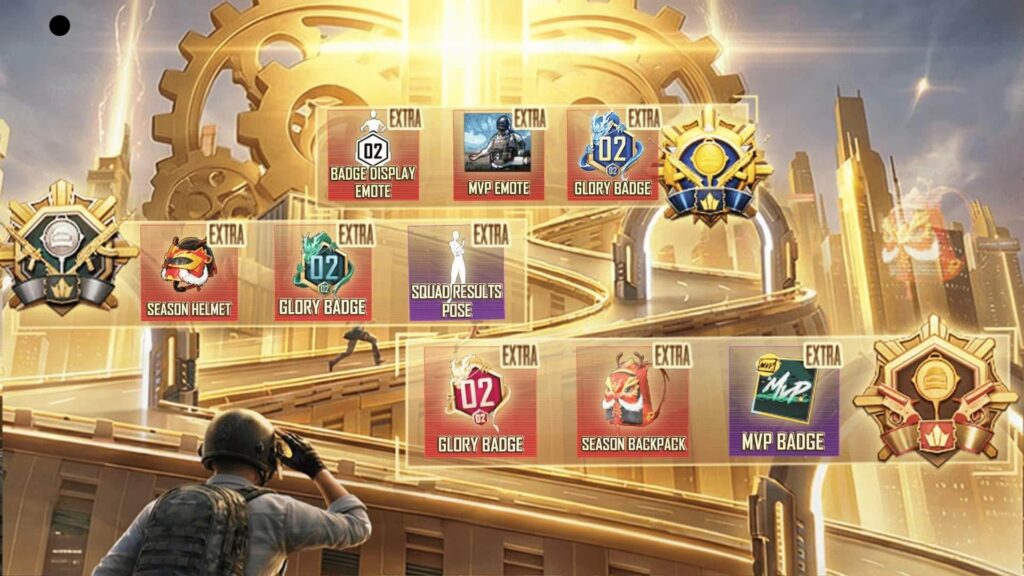
PUBG Mobile Beta vs. Official Version — Key Differences
The PUBG Mobile beta update has key differences compared to the official version, as it is designed for players to test upcoming content rather than provide a fully stable gameplay experience with finalized changes.
| Feature | PUBG Mobile Beta | Official Version |
|---|---|---|
| Purpose | Test new features, modes, and mechanics. | Stable and competitive gameplay |
| Content Availability | Early access to new maps, weapons, and modes; content may change. | Fully released and tested content. |
| Stability & Performance | Possible bugs, crashes, and performance issues | Optimized for smooth gameplay |
| Account & Progress | Requires a separate beta account; progress does not transfer | Uses your main account; progress saved |
| Update Method | Multiple test rounds; requires a standalone beta client | Updates directly via app stores |
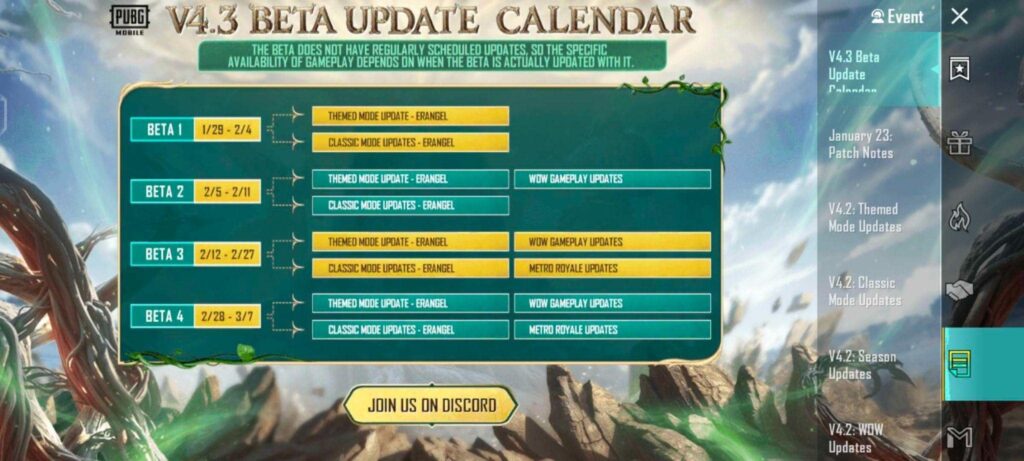
PUBG Mobile Beta Update Release Schedule
The PUBG Mobile v4.3 beta began on January 29, 2026, and will continue until March 7, 2026. Unlike the official version, the beta testing is divided into four rounds, each adding new layers of content to the experience.
The official phase calendar has been released, revealing scheduled updates throughout February. The availability of specific gameplay features depends on when the corresponding patches are applied during the testing cycle.
| Phase | Dates | Content Updates |
|---|---|---|
| Beta 1 | Jan 29 – Feb 4 | Themed Mode & Classic Mode Updates (Erangel) |
| Beta 2 | Feb 5 – Feb 11 | WOW Gameplay Updates + Erangel refinements |
| Beta 3 | Feb 12 – Feb 27 | Metro Royale Updates + WOW & Themed Mode |
| Beta 4 | Feb 28 – Mar 7 | Final Polish of Metro Royale, WOW, and Themed Modes |
FAQs
What is the PUBG Mobile beta version?
The PUBG Mobile beta is a test server that allows early access to new content and lets players try mechanics before the official release.
How do I download the PUBG Mobile beta update?
You can download the PUBG Mobile beta update via APK (Android) or TestFlight (iOS) from the official Discord. Each beta phase requires a standalone beta client.
What’s new in the latest PUBG Mobile beta update?
PUBG Mobile v4.3 beta includes a new themed role-based mode, passive skills, weapon adjustments, map updates, UI/UX, audio, and backend improvements.
What’s the difference between PUBG Mobile beta and the official version?
The PUBG Mobile beta tests upcoming content for possible bugs, while the official version is stable, saves progress, and updates directly through app stores.
When does the PUBG Mobile beta v4.3 update become available?
PUBG Mobile v4.3 beta began on January 29, 2026, and is rolling out in phases until March 7, with different content in each phase.
References
- PUBG MOBILE BETA (Discord)
- Beta PUBG MOBILE Download for Android-32 bit (PUBG MOBILE)
- Beta PUBG MOBILE Download for Android-64 bit (PUBG MOBILE)
- Beta PUBG MOBILE for IOS (PUBG MOBILE)