How To Cancel Fortnite Crew On All Platforms

- Fortnite Crew must be canceled through the same platform where the subscription was originally purchased.
- When you cancel Fortnite Crew, the subscription stops renewing, but you keep your benefits until the current billing cycle ends.
- Any cosmetics, V-Bucks, or Battle Pass access already granted through Fortnite Crew remain permanently on your account.
Fortnite Crew offers plenty of value, but there may come a time when you decide the monthly subscription is no longer worth it. However, since the service renews automatically, many players don’t know how to stop the recurring payment before the next billing cycle.
In this guide, we’ll explain exactly how to cancel Fortnite Crew on every platform, including PC, Xbox, PlayStation, Nintendo Switch, and mobile devices.
- 1. What Is Fortnite Crew?
- Fortnite Crew Pricing
- 2. How To Cancel Fortnite Crew
- Cancel Fortnite Crew On PC Or Epic Games
- Cancel Fortnite Crew On Xbox
- Cancel Fortnite Crew On PlayStation
- Cancel Fortnite Crew On Nintendo Switch
- Cancel Fortnite Crew On Mobile
- 3. How To Cancel Fortnite Crew On Game Pass
- 4. What Happens When You Cancel Fortnite Crew
- 5. FAQs
What Is Fortnite Crew?
Fortnite Crew is a monthly subscription service for Fortnite that bundles together multiple premium in-game rewards.
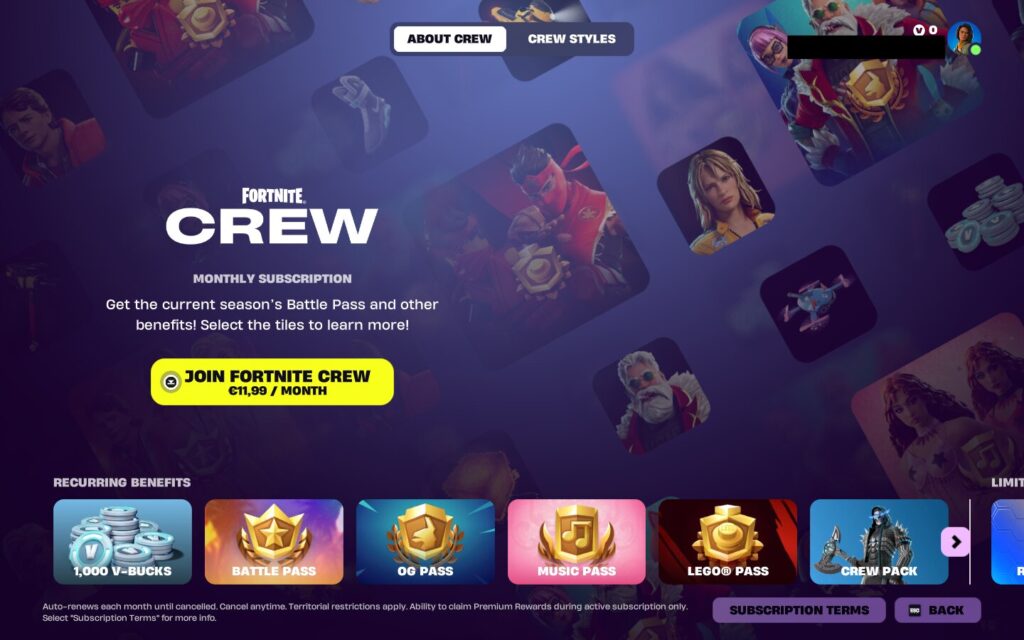
Once subscribed, members receive exclusive Fortnite Crew skins, a set amount of V-Bucks each month, access to the current Battle Pass, LEGO Pass, Music Pass, and OG Pass, along with the Rocket Pass Premium for Rocket League.
The subscription renews each month automatically until canceled. Importantly, any cosmetics or V-Bucks already claimed remain permanently tied to your account, even if you cancel the subscription later.
Fortnite Crew Pricing
Fortnite Crew typically costs $11.99 per month, though pricing can vary slightly by region and platform store policies.
However, Epic Games confirmed changes to the service beginning March 19, 2026. Under the updated billing structure, Fortnite Crew subscribers now receive 800 V-Bucks per month instead of 1,000, reflecting broader adjustments to Fortnite’s in-game economy.
Note: Players who subscribe to Xbox Game Pass Ultimate do not pay separately for Fortnite Crew, as the subscription is included with the plan. In this case, the Crew benefits are delivered through the Game Pass subscription rather than a standalone Fortnite Crew payment.
How To Cancel Fortnite Crew
Fortnite Crew is a recurring subscription that renews automatically every month until you cancel it. However, you must cancel the subscription through the same platform where you originally purchased it.
After that, the subscription turns off automatic renewal, but you will still keep your benefits until the end of the current billing cycle.
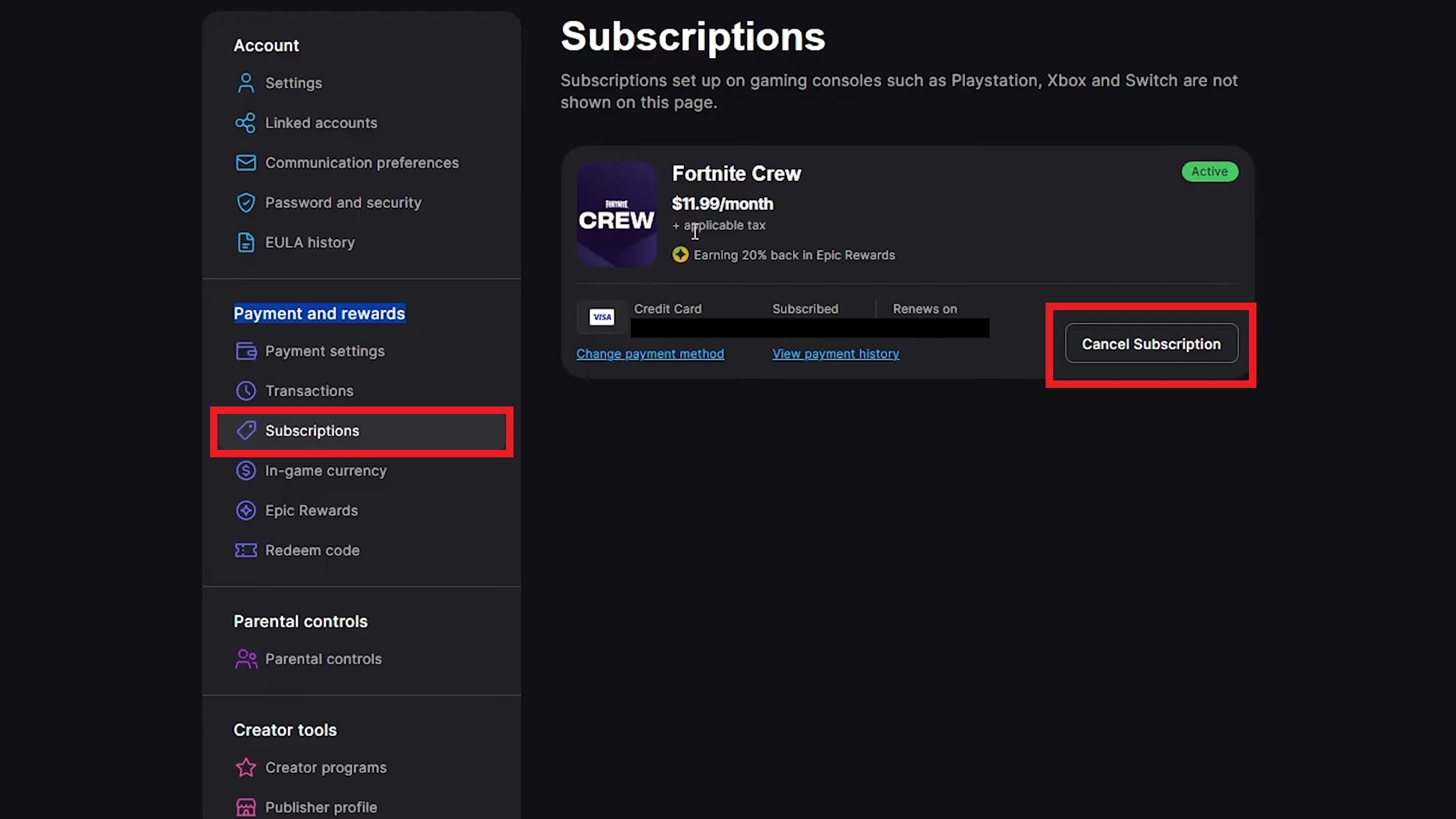
Cancel Fortnite Crew On PC Or Epic Games
Cancel through Epic account (browser):
- Go to epicgames.com/account.
- Sign in to your Epic Games account.
- Select Subscriptions.
- Click the cog icon next to Fortnite Crew.
- Select Cancel Subscription.
- Follow the prompts to confirm the cancellation.
Cancel in-game:
- Open Fortnite.
- Go to the Passes tab.
- Select Manage Subscription.
- Choose Cancellation Info.
- Select Cancel Subscription.
Cancel via the Epic Games Store app:
- Open the Epic Games Store application.
- Click your profile icon.
- Select Account.
- Go to the Subscriptions tab.
- Select Cancel.
Cancel Fortnite Crew On Xbox
If you subscribed through Xbox, you must cancel it through your Microsoft account subscriptions.
- Go to account.microsoft.com/account.
- Sign in to your Microsoft account.
- Select Services & Subscriptions.
- Find your Fortnite Crew subscription.
- Select Manage.
- Choose Turn off recurring billing.
- Follow the prompts to confirm cancellation.
If you join Xbox Game Pass Ultimate, then a standalone Xbox Fortnite Crew subscription is automatically canceled. This is because Fortnite Crew is included as a benefit from November 18, 2025 onward.
Cancel Fortnite Crew On PlayStation
PlayStation 5
- Open Settings.
- Go to Users and Accounts.
- Select Accounts.
- Choose Payment and Subscriptions.
Open Game and App Services.
Select Fortnite from the list. - Choose Turn Off Auto-Renew for Fortnite Crew.
PlayStation 4
- Go to Settings.
- Select Account Management.
- Open Account Information.
- Select Services List.
- Find Fortnite.
- Select Turn Off Auto-Renew for Fortnite Crew.
If you do not have access to your console, you may also be able to manage it through your PlayStation account in a browser, depending on your region and settings.
Cancel Fortnite Crew On Nintendo Switch
- Press the Home button.
- Open Nintendo eShop.
- Select your account icon.
- Go to Your Subscriptions.
- Find Fortnite Crew.
- Select Turn Off Automatic Renewal.
- Confirm cancellation.
Just make sure you are using the same Nintendo account that was used when the subscription started.
Cancel Fortnite Crew On Mobile
Apple (App Store)
- Open the Settings app.
- Tap your Apple ID.
- Select Subscriptions.
- Choose Fortnite Crew.
Tap Cancel Subscription. - Confirm.
Android (ONE Store)
- Open the ONE Store app.
- Go to the My menu.
- Open Settings.
- Select Subscription.
- Find Fortnite Crew.
- Tap Cancel Subscription.
- Choose Schedule Cancellation.
How To Cancel Fortnite Crew On Game Pass
You don’t cancel Fortnite Crew separately if you’re getting it through Xbox Game Pass Ultimate.
Since Fortnite Crew is included as a perk of Game Pass Ultimate, the Crew benefits are tied directly to your Game Pass subscription rather than a standalone Fortnite Crew payment.
To stop receiving Fortnite Crew through Game Pass:
- Go to account.microsoft.com and sign in to your Microsoft account.
- Open Services & Subscriptions.
- Find your Xbox Game Pass Ultimate subscription.
- Select Manage.
- Choose Cancel subscription or Turn off recurring billing.
- Confirm the cancellation.
Once your Game Pass Ultimate subscription ends, you will also lose access to Fortnite Crew benefits that were included with it. If you still want Fortnite Crew afterward, you would need to subscribe to it separately inside Fortnite.
What Happens When You Cancel Fortnite Crew
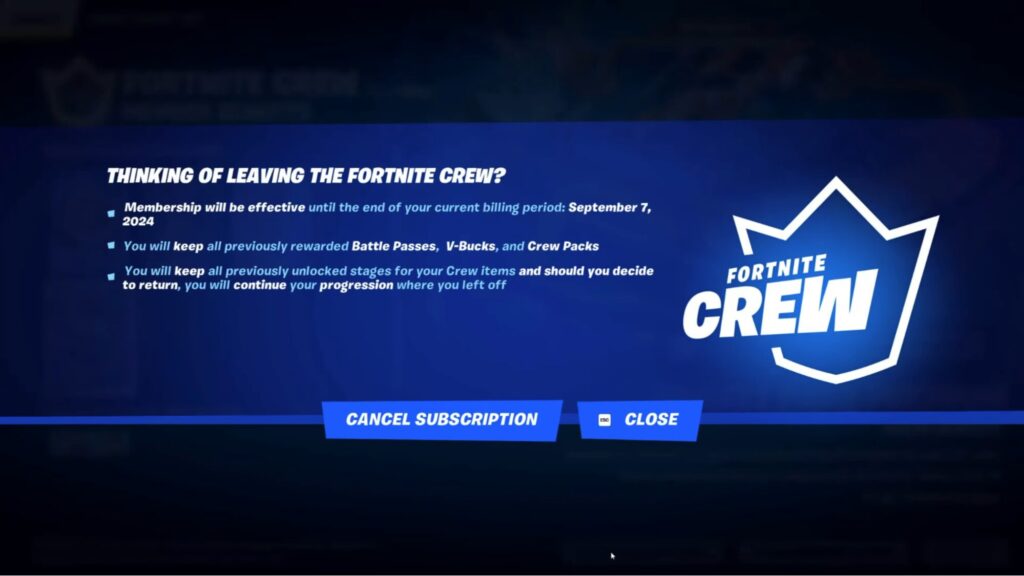
When you cancel Fortnite Crew, the subscription stops renewing at the end of your current billing cycle rather than ending immediately.
This means you can continue using the benefits you already received until the subscription period expires. Any cosmetics, Crew Packs, or V-Bucks that were already granted to your account remain permanently yours and will not be removed.
If you obtained the current Battle Pass through Fortnite Crew, you will still be able to progress through it normally, even after canceling. However, once the billing period ends, you will no longer receive future monthly rewards such as new Crew Packs or the monthly V-Bucks grant.
The subscription will not renew unless you manually subscribe again later, which you can do at any time.
FAQs
How do I cancel my Fortnite Crew subscription?
You must cancel Fortnite Crew through the same platform where you subscribed, such as Epic Games, Xbox, PlayStation, Nintendo eShop, or your mobile store’s subscription settings.
Where can I find my Fortnite Crew subscription?
Fortnite Crew can be found in the subscription or services section of the platform where it was purchased, such as the Epic Games Subscriptions page or your console’s account settings.
Can you cancel Fortnite Crew outside of the game?
Yes. You can cancel Fortnite Crew through your platform’s account management page or subscription settings in a browser or device settings.
Do you lose your items if you cancel Fortnite Crew?
No. All cosmetics, Crew Packs, V-Bucks, and Battle Pass access already granted remain permanently on your account.
What happens if you stop paying for Fortnite Crew?
The Fortnite Crew subscription simply stops renewing. You keep your benefits until the current billing cycle ends, but you won’t receive future monthly rewards unless you resubscribe.