PUBG Mobile Zero Recoil Sensitivity Codes: Best Settings & How To Import (2026)

PUBG Mobile zero recoil sensitivity is the first thing most players search for—and it’s hardly a surprise. Even with solid crosshair placement, a poor sensitivity setup causes sprays to climb, drift off target, and turn what would otherwise be easy eliminations into frustrating losses.
This guide includes importable codes, a clear path for a gyro vs. non-gyro setup, and a quick testing routine. Importantly, our PUBG settings aren’t copied blindly, but built to help you find a stable baseline for your builds and lock it down with a few small adjustments.
- 1. What Is Zero Recoil Sensitivity In PUBG Mobile?
- 2. Best PUBG Mobile Zero Recoil Sensitivity Codes
- 3. PUBG Mobile Scope-by-Scope Sensitivity Settings
- 4. How To Import Sensitivity Codes In PUBG Mobile
- 5. How To Back Up Your Current Sensitivity Before Importing
- 6. Lock FPS & Performance Before Tuning Sensitivity
- Device scaling cheat sheet (quick adjustments)
- 7. The 5-Minute Calibration Drill (Do This After Importing)
- 8. How PUBG Mobile Sensitivity Actually Works
- 9. Player Style Sensitivity Profiles
- 10. FAQs
What Is Zero Recoil Sensitivity In PUBG Mobile?
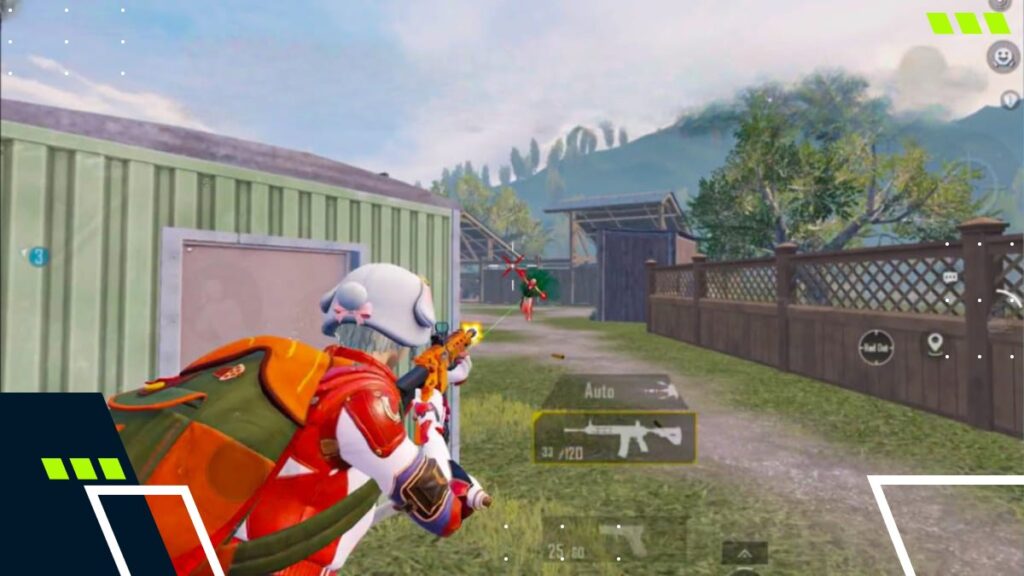
Zero recoil sensitivity in PUBG Mobile doesn’t mean your gun suddenly stops kicking. Instead, it means Camera, ADS (Aim Down Sights), and Gyroscope values are carefully tuned so that recoil is easier to counter without over-pulling, especially during AR sprays.
It’s also why copying someone else’s PUBG Mobile sensitivity code doesn’t always feel perfect. That’s because differences in screen size, FPS stability, and even grip style can all affect how fast inputs translate into crosshair movement in real matches.
Best PUBG Mobile Zero Recoil Sensitivity Codes
Before importing any PUBG Mobile recoil codes, we recommend taking a screenshot of your current setup and creating a backup so you can easily roll back. Here is a list of codes you can use in your settings.
| Code Name | Code | Gyro / Non-Gyro | Best For |
|---|---|---|---|
| Balanced All-Rounder | 7307-1085-6780-4282-435 | Balanced | Most players |
| Tablet / iPad Baseline | 1-7478-5115-3389-3888-854 | Balanced | Larger screens |
| Gyro Stability | 1-7478-5115-3389-3888-855 | Gyro-leaning | Low-recoil spray |
| Non-gyro Baseline | 1-7571-6708-4489-3563-702 | Non-gyro | Quick reset setup |
Note: Higher FPS and better touch responsiveness can make recoil control feel noticeably smoother and more consistent. You can refer to our dedicated guide for a list of devices that currently support 120 FPS in PUBG Mobile.
PUBG Mobile Scope-by-Scope Sensitivity Settings
Scope tuning is where a PUBG Mobile sensitivity setup truly becomes personal. Use these ranges to fine-tune your imported code, not as fixed rules. The goal is stable sprays and predictable tracking.
| Scope | Camera | ADS | Gyro |
|---|---|---|---|
| No Scope | 100–150 | 90–110 | 300–400 |
| Red Dot / Holo | 30–60 | 50–80 | 250–350 |
| 2x | 25–50 | 40–60 | 220–330 |
| 3x | 20–50 | 30–50 | 170–270 |
| 4x | 15–30 | 20–40 | 140–250 |
| 6x | 10–25 | 16–40 | 100–180 |
| 8x | 6–18 | 10–26 | 70–150 |
How To Import Sensitivity Codes In PUBG Mobile
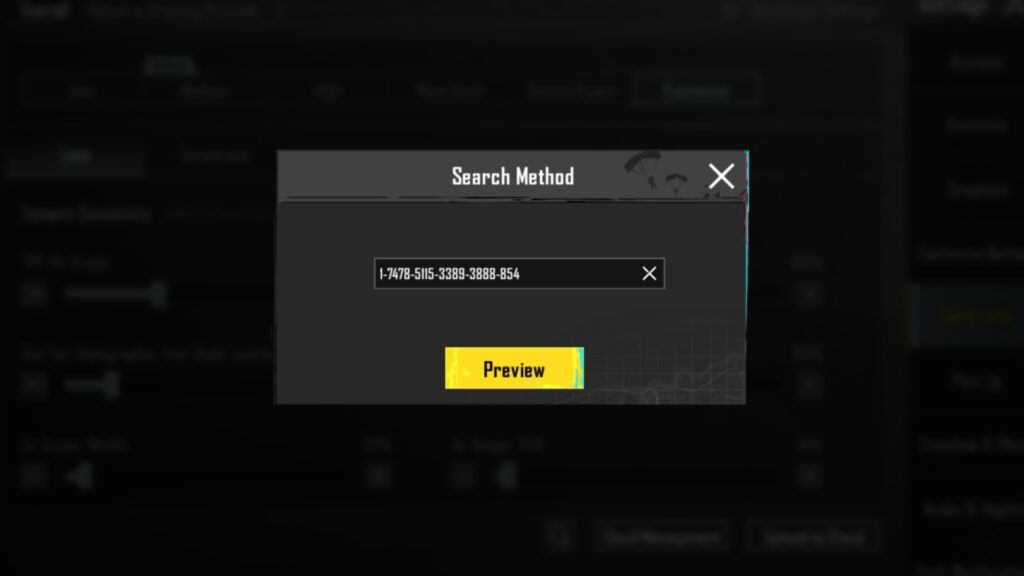
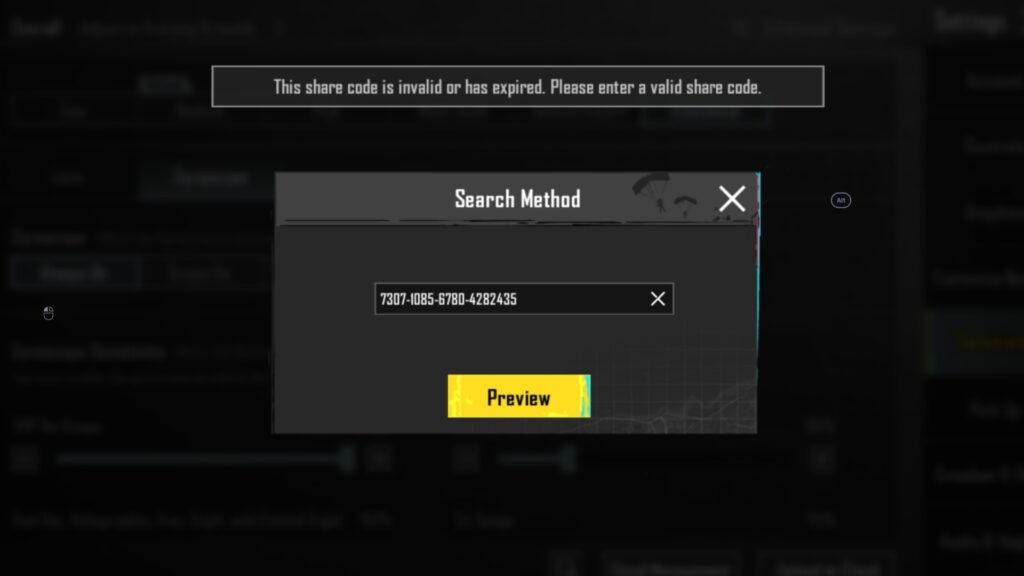
The steps below show how to import PUBG Mobile sensitivity codes, though the exact menu path may vary slightly depending on your build and region.
- Open “Settings” (gear icon)
- Tap “Sensitivity”
- Find the “Search Method” icon
- Enter the sensitivity code
- Tap “Preview”
- Tap “Use Layout” and “Confirm”
Note: If the import fails, it could be due to missing hyphens, copying only part of the code, or pasting a gyro-focused code while gyro is disabled. To fix it, re-copy the full string, check formatting, and try again on a stable connection.
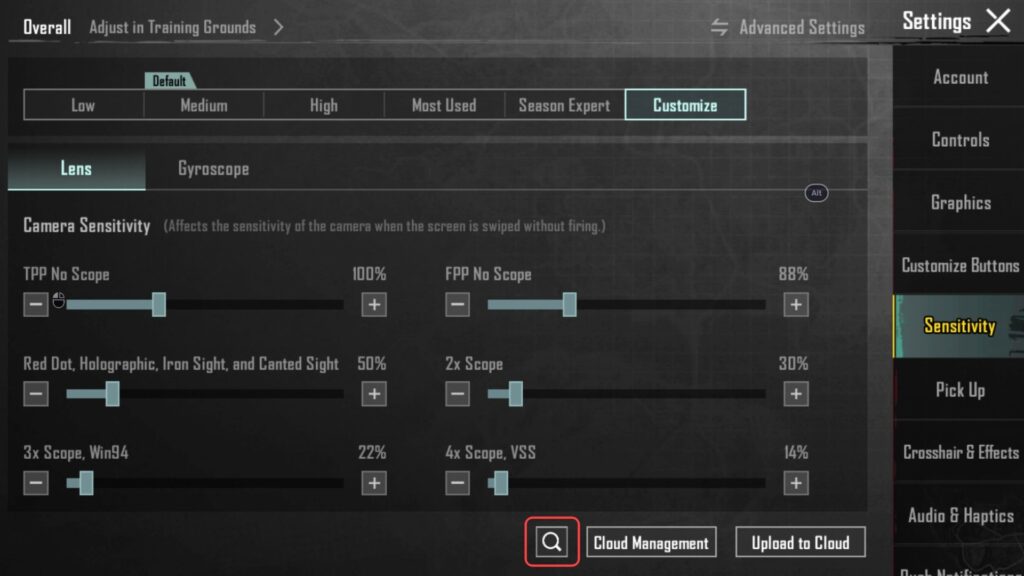
How To Back Up Your Current Sensitivity Before Importing
Backups can save your settings if you make any unintentional changes to your setup—and there are a couple of simple ways to do so.
The easiest way is to just take a screenshot of your settings. Another way to do it is to first check whether your build supports exporting and sharing sensitivity configurations, generate a personal code, and store it in the cloud.
Lock FPS & Performance Before Tuning Sensitivity
Sensitivity “feel” depends heavily on how stable the game runs. If FPS is bouncing or touch response feels inconsistent, recoil control will feel random—even with a great code.
Before touching sliders, set graphics/FPS to whatever stays stable in real fights, then tune sensitivity after performance is locked. This is also why the same code can feel smooth on one device and slippery on another.
Device scaling cheat sheet (quick adjustments)
| Device type | What usually feels off | Quick first tweak |
|---|---|---|
| Small phones | Red Dot / 2x feels twitchy | Lower Camera slightly first |
| Large phones | Mid-scopes feel floaty | Raise ADS in small steps |
| Tablets/iPads | Everything feels slow | Increase Camera more than ADS |
The 5-Minute Calibration Drill (Do This After Importing)
Don’t jump straight into a Ranked match after pasting a code. Head to the Training Ground and run this quick routine to “marry” the code to your muscle memory:
- The 50m M416 Test: Grab an M416 with a 3x or 4x scope. Fire a full magazine at the 50m target. If the vertical kick is too hard to pull down, bump your ADS/Gyro up.
- The “Trace” Drill: Find a moving target or a teammate driving a vehicle. Follow them with your crosshairs without firing. If you keep falling behind the target, your Camera Sensitivity is too low.
- The 180-Degree Flick: Stand still and try to swipe your thumb to turn exactly 180 degrees. If you over-rotate, lower your No-Scope Camera sensitivity. This is vital for close-quarters “fights of the future” where speed is everything.
How PUBG Mobile Sensitivity Actually Works
Most players copy their zero recoil codes into their PUBG Mobile settings without knowing what each bucket controls, then get stuck when it feels off. Sensitivity is really just three systems working together: Camera, ADS, and Gyroscope.
- Camera: How fast the view moves while looking around
- ADS: How fast aim moves while firing and controlling recoil
- Gyroscope: Tilt-based micro-corrections if it’s on
Player Style Sensitivity Profiles
Sensitivity isn’t one-size-fits-all, so it helps to start from a playstyle baseline. These are starting profiles: keep the import code as the foundation, then nudge the relevant bucket (Camera / ADS / Gyro) in small steps until sprays and tracking feel predictable.
| Player Style | Sensitivity Logic | Recommended For |
|---|---|---|
| Entry Fragger | High ADS + High Gyro (fast corrections, aggressive tracking) | Close-quarters fights, quick swings, pushing buildings |
| DMR Sniper | Lower Camera + Higher Gyro (steady view, precise micro-aim) | Long-range taps with DMRs (Mini-14 / SKS), controlled peeks |
| Hybrid All-Rounder | Mid-range across Camera/ADS/Gyro (balanced feel) | Rotations, mixed-range fights, flexible weapon swaps |
FAQs
How do you make zero recoil sensitivity in PUBG Mobile?
Start with a reliable PUBG Mobile zero recoil sensitivity code, then tune one scope at a time in Training Ground.
What is the best sensitivity for zero recoil in PUBG Mobile?
There isn’t one universal best. Many players start with 1-7435-8846-3421-0303-072 or 1-7462-2496-3022-3831-210, then adjust for their device and grip.
Why do PUBG Mobile sensitivity codes feel different on my device?
Screen size, FPS stability, touch response, and grip style all change how inputs translate in-game.
Where do you import sensitivity codes in PUBG Mobile?
To import sensitivity codes to your PUBG Mobile account, go to Settings → Sensitivity → Search Method → Enter Code → Preview → Use Layout → Confirm.
Can sensitivity codes get “patched” by updates?
Updates can change how the game feels if performance, input response, or gyro behavior shifts slightly. The fix is usually simple: lock stable FPS, then re-check Red Dot and 3x ADS in Training Grounds.